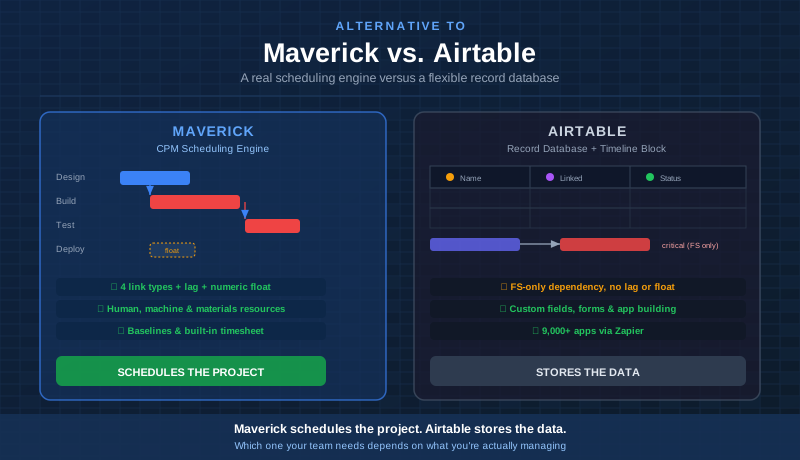
Airtable is one of the most flexible databases on the market — a spreadsheet-meets-app-builder that teams stretch to cover almost any workflow, including project tracking. In 2025, Airtable even added a Gantt layout to its Timeline view, with basic dependencies and a critical-path highlight. That closed some of the gap that used to exist between Airtable and dedicated scheduling tools.
But a Gantt layout bolted onto a record database is still not a scheduling engine. This comparison looks at both platforms honestly — including Airtable's real 2025 timeline upgrades — and shows exactly where the remaining gaps are for project managers who need dependable, accountable schedules.
Quick Verdict
Airtable is an excellent no-code database and app builder for teams that need custom forms, linked records, and flexible views across almost any kind of data — CRM pipelines, content calendars, inventory, and yes, lightweight project tracking. Maverick Project Scheduler is the right tool for project managers who need a true scheduling engine: Gantt charts with full CPM, all four dependency link types, resource allocation by type, and a built-in timesheet — all in one cloud application.
If your job is to deliver projects on time, with a schedule that recalculates itself when reality changes, Maverick is the better alternative to Airtable.
Quick-Reference Comparison Table
The comparison above, summarized as a plain data table.
| Feature | Maverick | Airtable |
|---|---|---|
| True Gantt chart with CPM scheduling engine | ✓ | Timeline block only |
| Critical path with numeric float per task | ✓ | Highlight only, no float |
| Task link types (FS, FF, SS, SF) with lag | ✓ | FS only, no lag |
| Human, machine & materials resource types | ✓ | ✗ |
| Resource allocation bar chart (over/under alerts) | ✓ | Generic utilization only |
| Built-in timesheet tied to costs | ✓ | Separate tracker app |
| AI reschedules dates and resources on demand | ✓ | Builds apps, not schedules |
| Project baselines & variance tracking | ✓ | ✗ |
| Custom fields, forms & relational app building | Basic custom fields | ✓ |
| Third-party integrations & automation reach | Core integrations only | ✓ |
| Starting price per user / month | $8.99 (all features) | $20 (record caps apply) |
Feature Comparison at a Glance
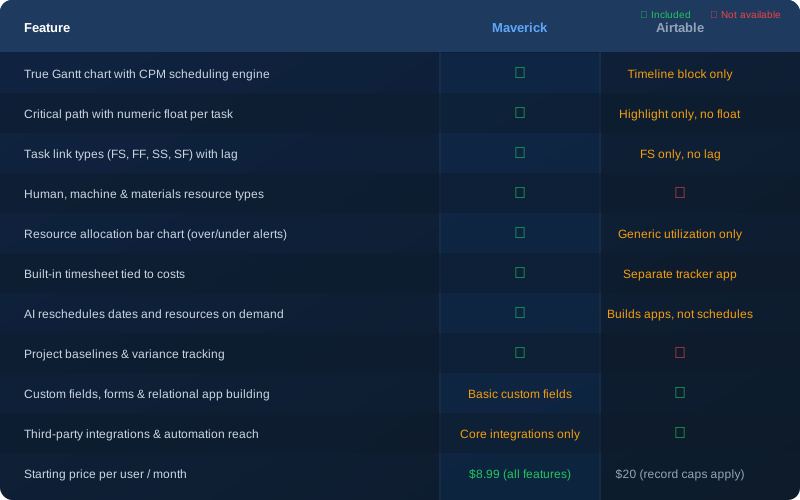
The pattern below is consistent: where Airtable added a timeline layer on top of its record model, Maverick built the scheduling engine first and the interface around it. That difference shows up the moment a project gets complicated enough to need real dependency logic.
Gantt Chart and Scheduling Engine
Maverick wins, though the gap has narrowed. Airtable's Gantt layout in Timeline view is a genuine improvement — you can view records as bars along a date axis, draw dependency arrows between them, and flag a dependency as invalid when a predecessor now ends after its successor starts. That is real progress from where Airtable stood a few years ago.
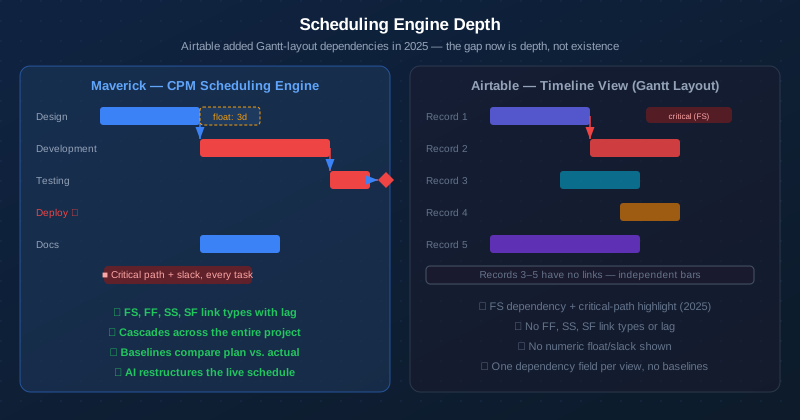
The remaining gap is depth. Airtable's Gantt layout supports one dependency relationship — finish-to-start — with no configurable lag or lead time. Maverick supports all four link types (Finish-to-Start, Finish-to-Finish, Start-to-Start, and Start-to-Finish), each with its own lag value, and enforces them automatically: drag a task, and every successor recalculates through the whole chain. Airtable's dependency logic lives inside a single Timeline view configuration rather than a project-wide engine, so it does not carry the same weight across a full, complex schedule.
Critical Path Analysis
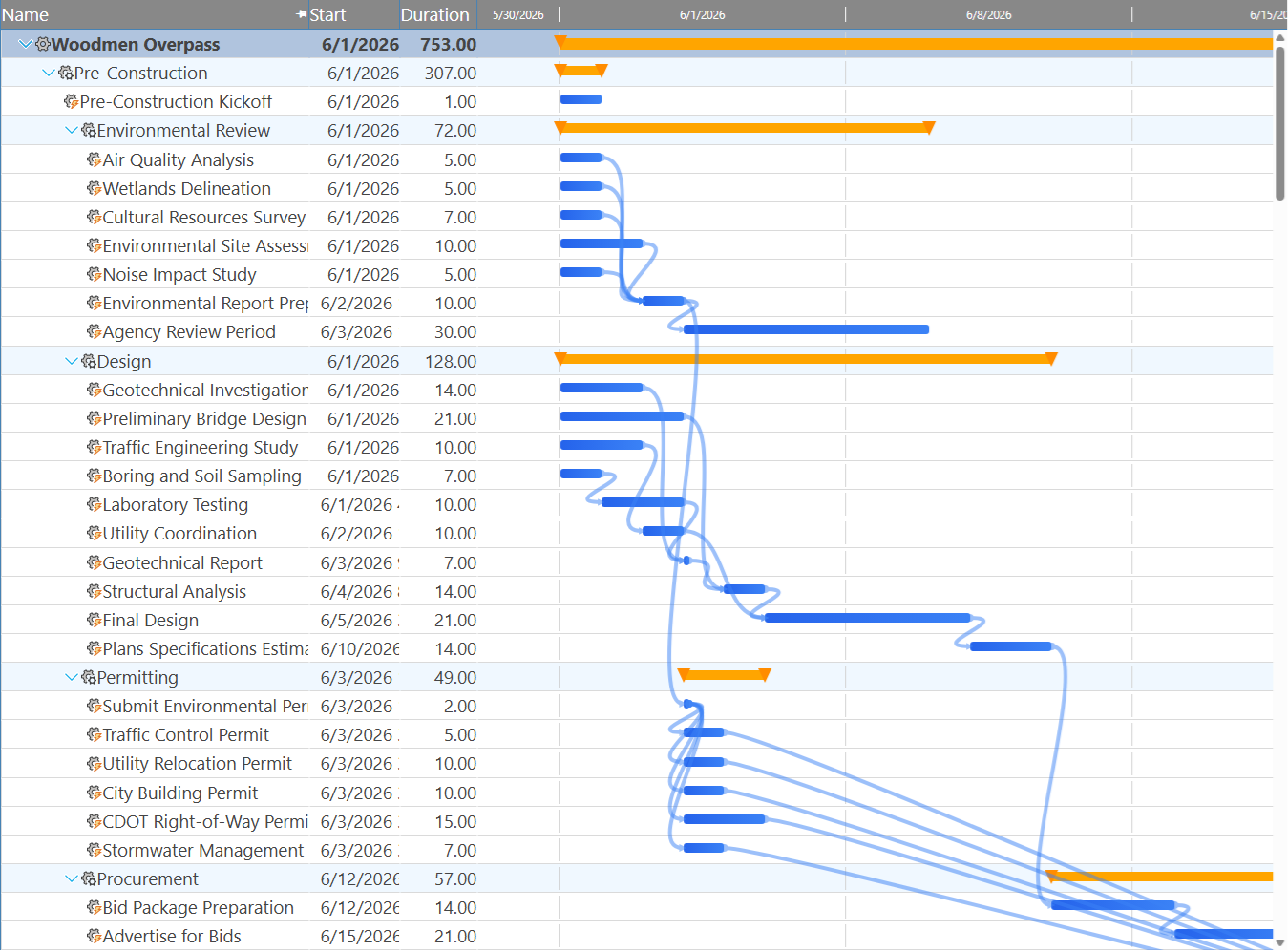
Maverick wins on depth. Airtable now has a critical-path highlight, but not a critical-path calculation with float.
Airtable's Timeline view includes a "Highlight critical path" toggle that lights up the chain of dependent records affecting the project's finish date — a feature that did not exist in Airtable a couple of years ago. It is a useful visual cue for a simple linear chain of FS dependencies.
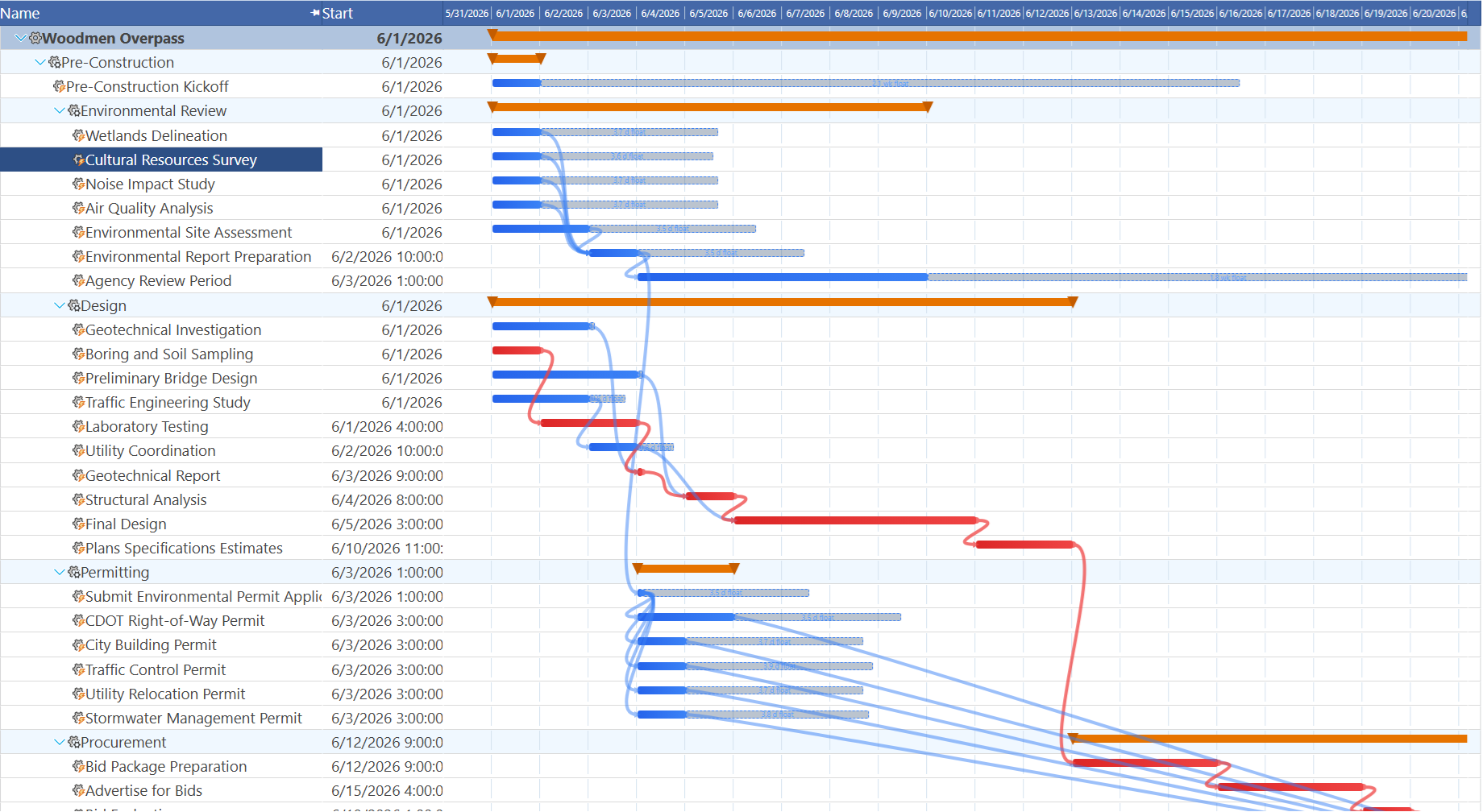
What Airtable does not calculate is float — the exact number of days a non-critical task can slip before it becomes critical itself. Maverick computes total float for every task in the project using the Critical Path Method, not just a binary "on the critical path or not" flag. For a project manager deciding which delays are safe to absorb and which ones need immediate attention, that numeric float value is the answer Airtable's highlight cannot give you.
Resource Management
Maverick wins significantly. Airtable's Timeline view added a resource-allocation overlay in its own 2025 update, letting you color-code a summary bar by utilization and see team capacity at a glance. It is a meaningful step up from a plain spreadsheet — but it treats every linked "resource" the same way, whatever field you point it at.
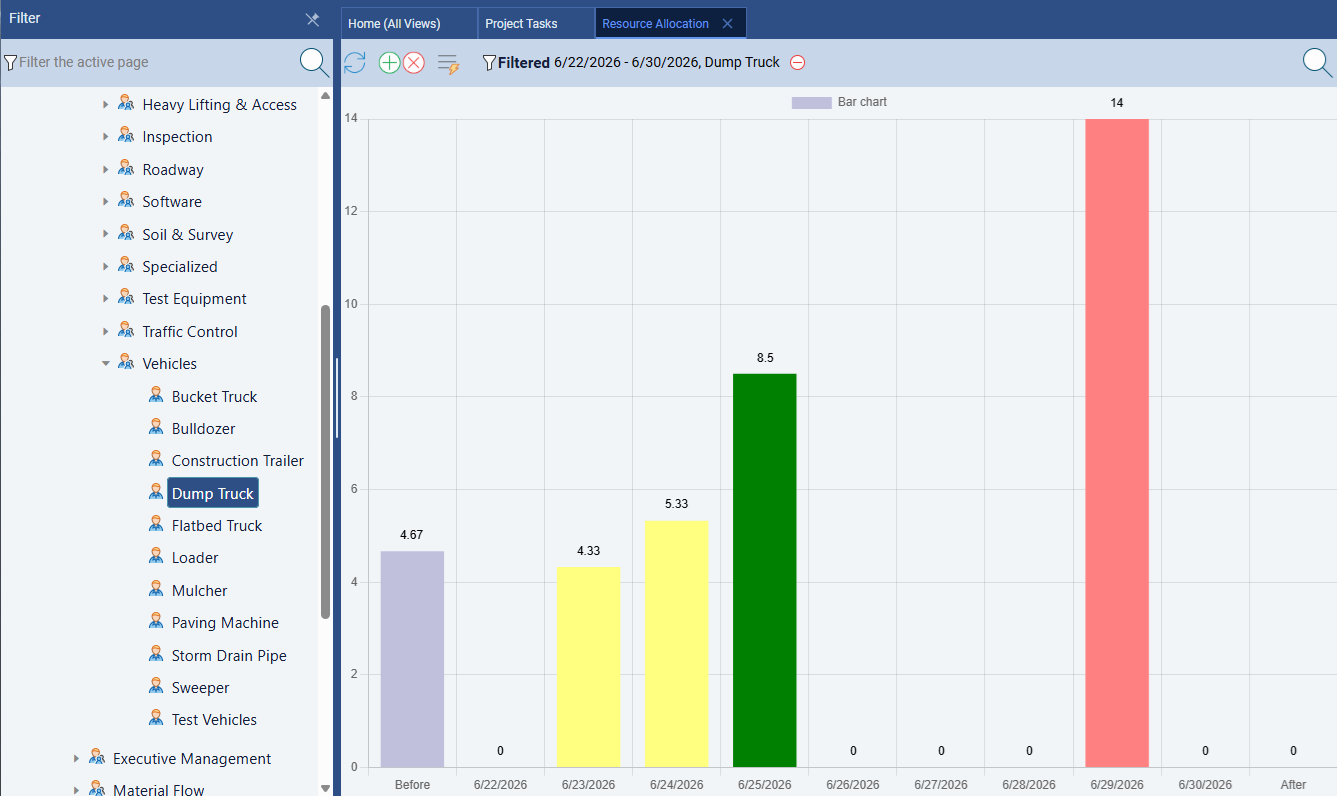
Maverick treats resource management as a dedicated scheduling discipline: human, machine, and materials resource types are tracked separately, each with its own working-hours schedule, and assignments carry utilization percentages or hours per day. The resource allocation bar chart shows — in color — exactly which resources are over-allocated, under-allocated, or correctly loaded across any time range you choose, broken down by resource type.
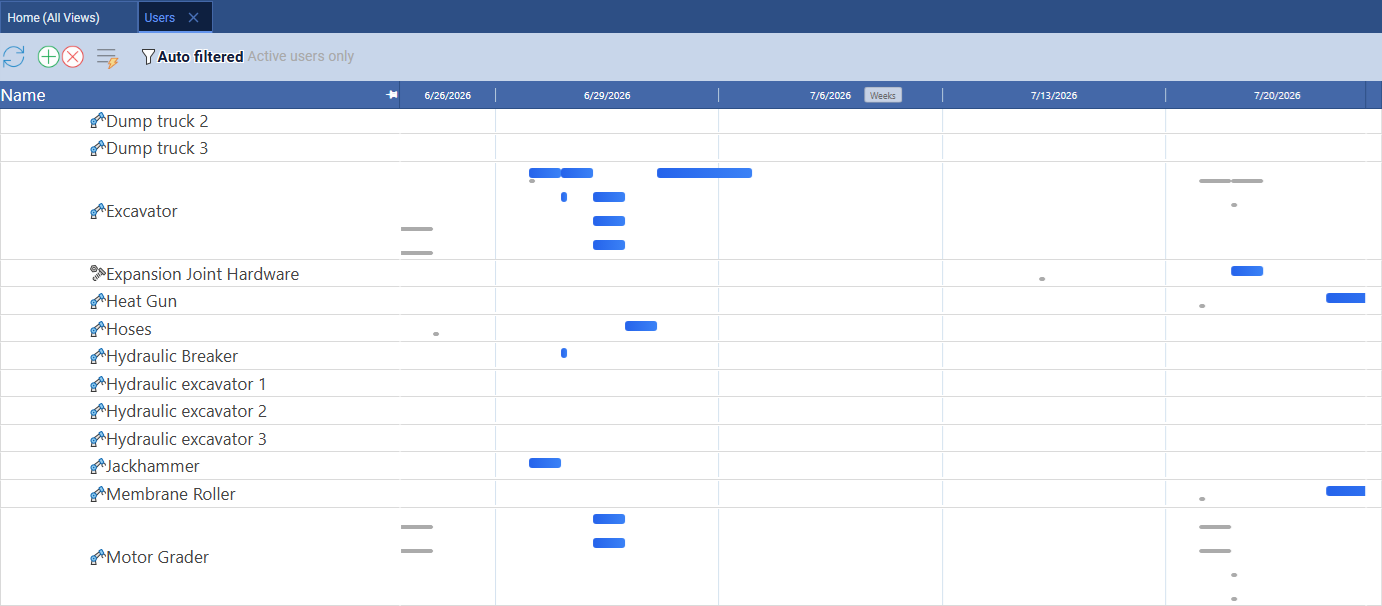
Maverick also includes a resource-centric Gantt on the Users page, where rows represent individual resources and each bar is a task assigned to that resource — filterable down to a single resource type, like equipment, to see which machines are double-booked. Airtable has no equivalent concept of non-human resource types or per-resource working-hour schedules; utilization in its Timeline view is a generic capacity overlay on whatever linked field you choose, not a modeled scheduling constraint.
AI and Automation
Different tools for different jobs — Airtable's AI builds apps, Maverick's AI builds schedules.
Airtable's AI, rebuilt around "Omni" and Cobuilder, is genuinely impressive at what it does: describe an app in plain language, and it generates the tables, fields, and relationships behind it. Field Agents can run research and content-generation tasks against your base data. This is AI aimed at building and operating custom database apps quickly.
Maverick's AI is aimed at a narrower, deeper job: it reads your existing project — its tasks, resources, dependencies, and constraints — and restructures the live schedule in response to plain-English instructions. Tell it to reschedule everything after a delay, reassign resources to unassigned tasks, or build a new project from a description, and it acts as a scheduling assistant working against the CPM engine, not a database that happens to answer prompts.
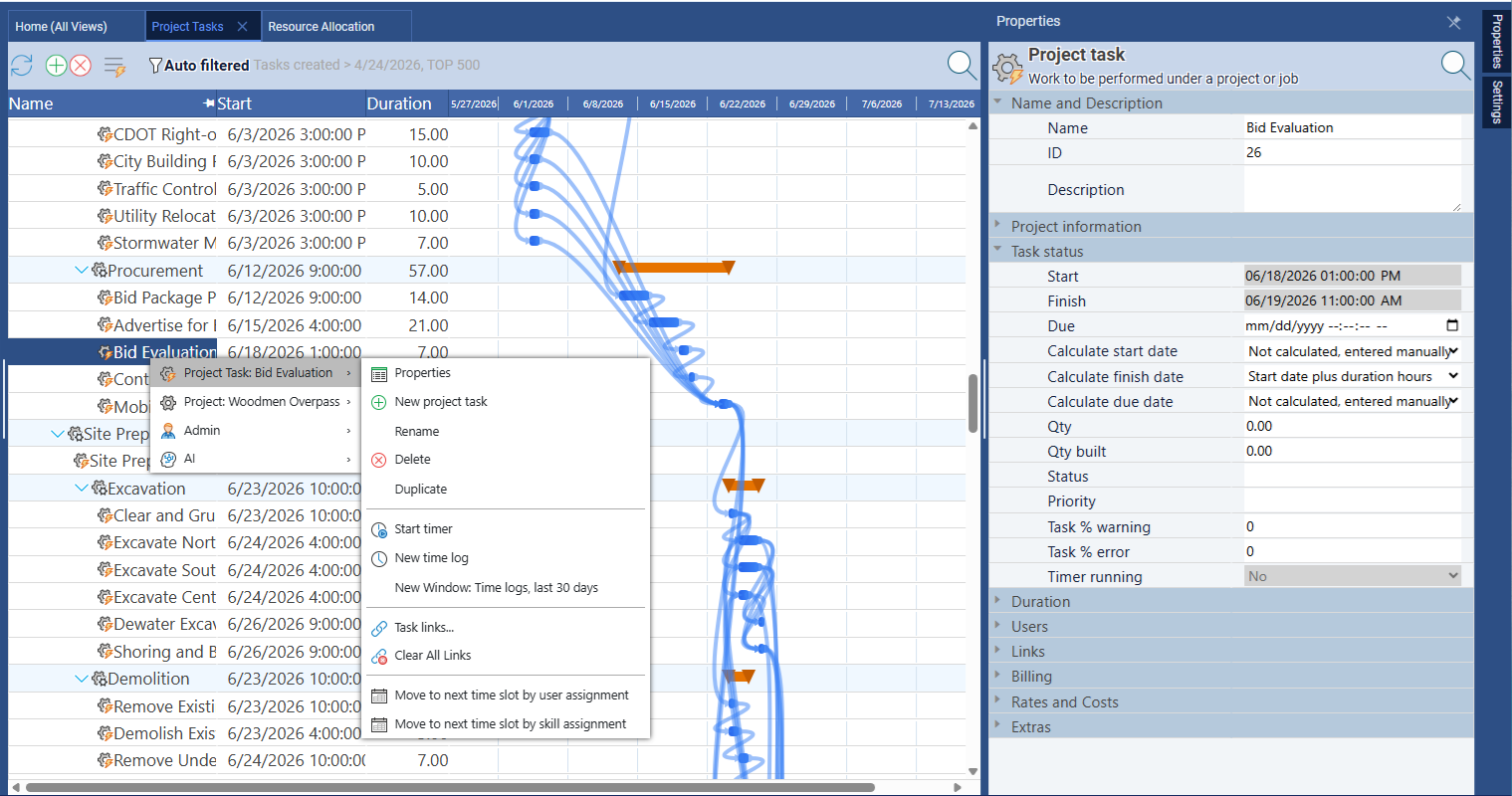
Maverick also lets you assign different AI providers and models per employee — a power user can work with a premium model while the broader team uses a cost-effective one. Airtable's AI features are centrally configured at the workspace level with no per-user model assignment.
Time Tracking and Timesheets
Maverick wins. Airtable's time tracking is a separate extension, not a core scheduling feature.
Maverick includes a full employee timesheet as a built-in feature — no add-on required. Team members log hours against specific tasks and projects, managers filter by user, project, and date range, and actual hours feed back into cost calculations automatically.
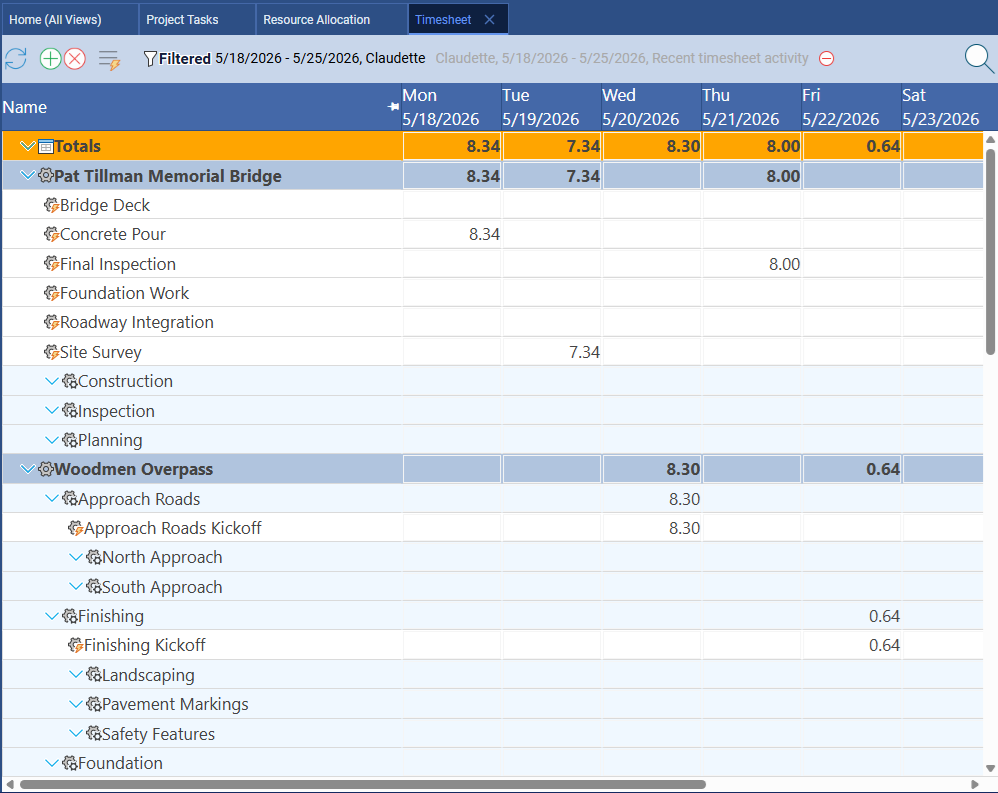
Airtable offers time tracking through a separate Time Tracker extension: you configure collaborator, date, and duration fields yourself and hit a start/stop timer. It works, but it is a bolt-on block layered on top of the base structure rather than a feature connected natively to cost rates, billing, or the scheduling engine the way Maverick's timesheet is.
Project Baselines and Variance Tracking
Maverick wins. Airtable does not offer project baselines.
A project baseline is a snapshot of your original plan — dates, durations, and costs — taken at project kickoff. Maverick supports baselines natively, displaying ghost bars on the Gantt chart so the original plan stays visible alongside the current schedule as it evolves.
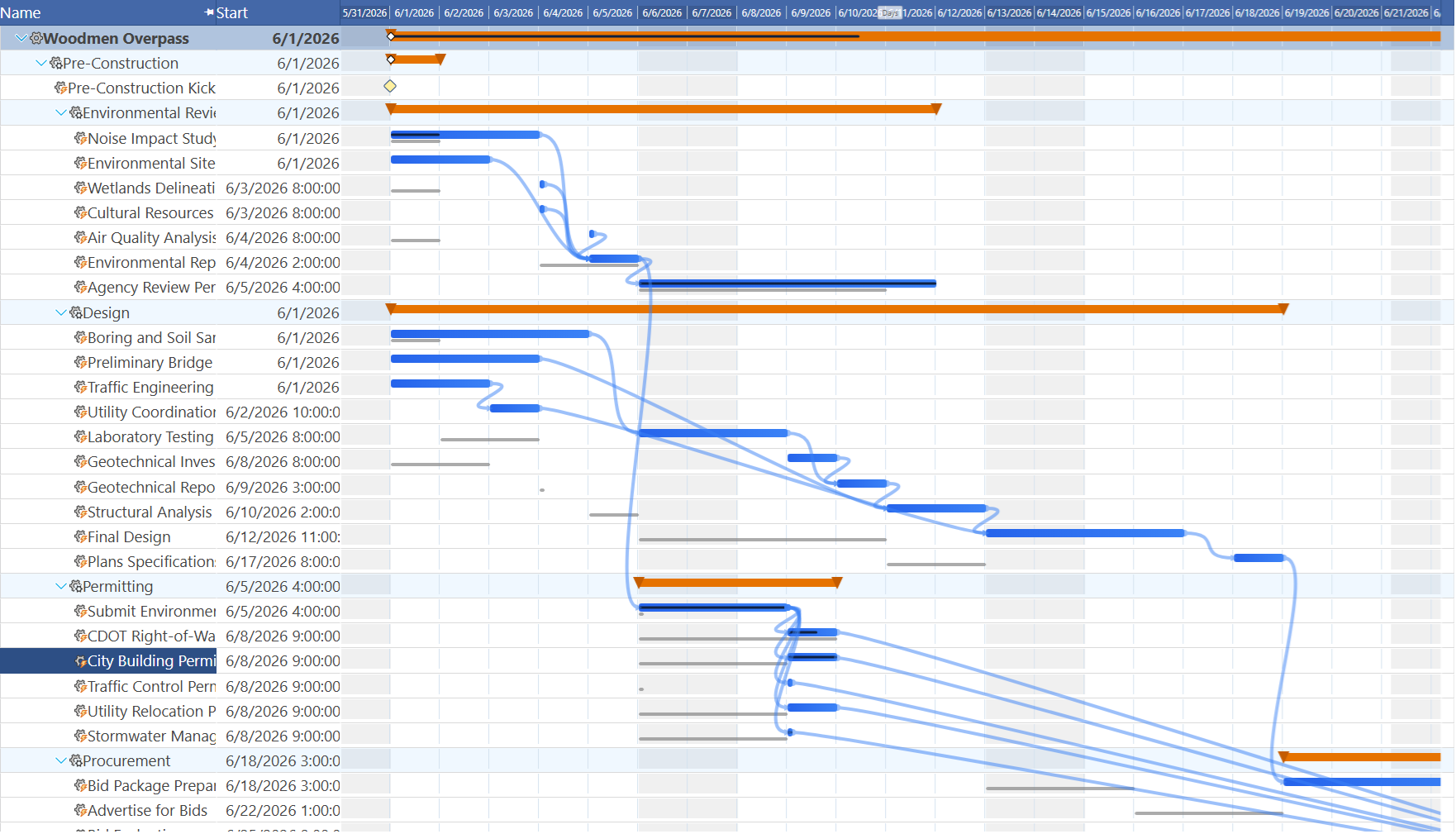
Airtable has no baseline concept. Once a record's dates change, the original planned dates are gone unless you build your own duplicate-and-snapshot workaround using extra fields or an automation. For project managers who report on schedule variance to stakeholders, that is a real gap — and a fragile DIY fix.
Custom Fields, Forms, and No-Code App Building
Airtable wins this category clearly.
This is Airtable's home turf. Custom field types — attachments, formulas, linked records, single/multiple select, barcodes — combine with forms, interfaces, and relational base design to let teams build purpose-fit apps for almost any workflow, project tracking included. If your organization needs a flexible system of record that goes well beyond scheduling — a CRM, an inventory tracker, a content pipeline — Airtable's app-building depth is a genuine advantage.
Maverick's data model is purpose-built around the scheduling workflow: tasks, resources, dependencies, and time entries, with a fixed but deep set of properties for each. It does not offer custom field types or a general-purpose app builder. If you need to build a bespoke database application, Airtable is the better fit. If you need to schedule and deliver a project, Maverick's purpose-built model gets you there faster with less setup.
Integrations and Ecosystem
Airtable wins this category.
Airtable connects to roughly two dozen apps natively — Slack, Google Calendar, Salesforce, Jira, and others — plus around 160 extensions in its own Marketplace, and it reaches into more than 9,000 additional apps through Zapier. For organizations running a wide, varied SaaS stack, that reach is a genuine strength.
Maverick focuses on the integrations project managers actually use for scheduling work: Microsoft Project import/export, Excel, Google Sheets, an OData feed for Power BI, and native webhooks and Zapier support for automation. If breadth across every category of business software is the top priority, Airtable's ecosystem is wider — though for scheduling-specific workflows, Maverick's integrations cover the ground that matters.
Pricing
Maverick costs less and does not cap you by record count.
Maverick starts at $8.99 per user per month and includes all Pro features — AI scheduling, resource allocation charts, timesheets, custom reporting, and automated exports — as part of every subscription during the current promotional period. There are no per-record limits to run into.
Airtable's Team plan runs $20 per editor per month billed annually (more month-to-month), with a 50,000-record cap per base; Business steps up to $45 per editor per month with a 125,000-record cap. Growing teams that build out detailed project data can hit those record ceilings faster than expected, forcing an upgrade conversation that has nothing to do with headcount.
Final Verdict: Which Tool Should You Choose?
Airtable earned its reputation honestly, and its 2025 timeline and resource-allocation updates are real improvements — this is not the same product it was a few years ago. If your core need is a flexible, no-code database that can also sketch a basic project timeline, Airtable is a capable and reasonably priced choice.
But if you are a project manager responsible for delivering projects with real deadlines, cascading dependencies, typed resource constraints, and stakeholder-facing variance reporting, the gaps that remain are structural, not cosmetic. One dependency type instead of four. A highlight instead of a calculated float. A capacity overlay instead of typed resource modeling. No baselines. These are the features that keep a complex schedule internally consistent as a project runs long — and they are exactly what Maverick was built around from the start.
Maverick Project Scheduler brings the scheduling engine, resource management, AI integration, and timesheet together as one coherent system. The result is a tool that genuinely helps you deliver projects — not a database doing its best impression of one.