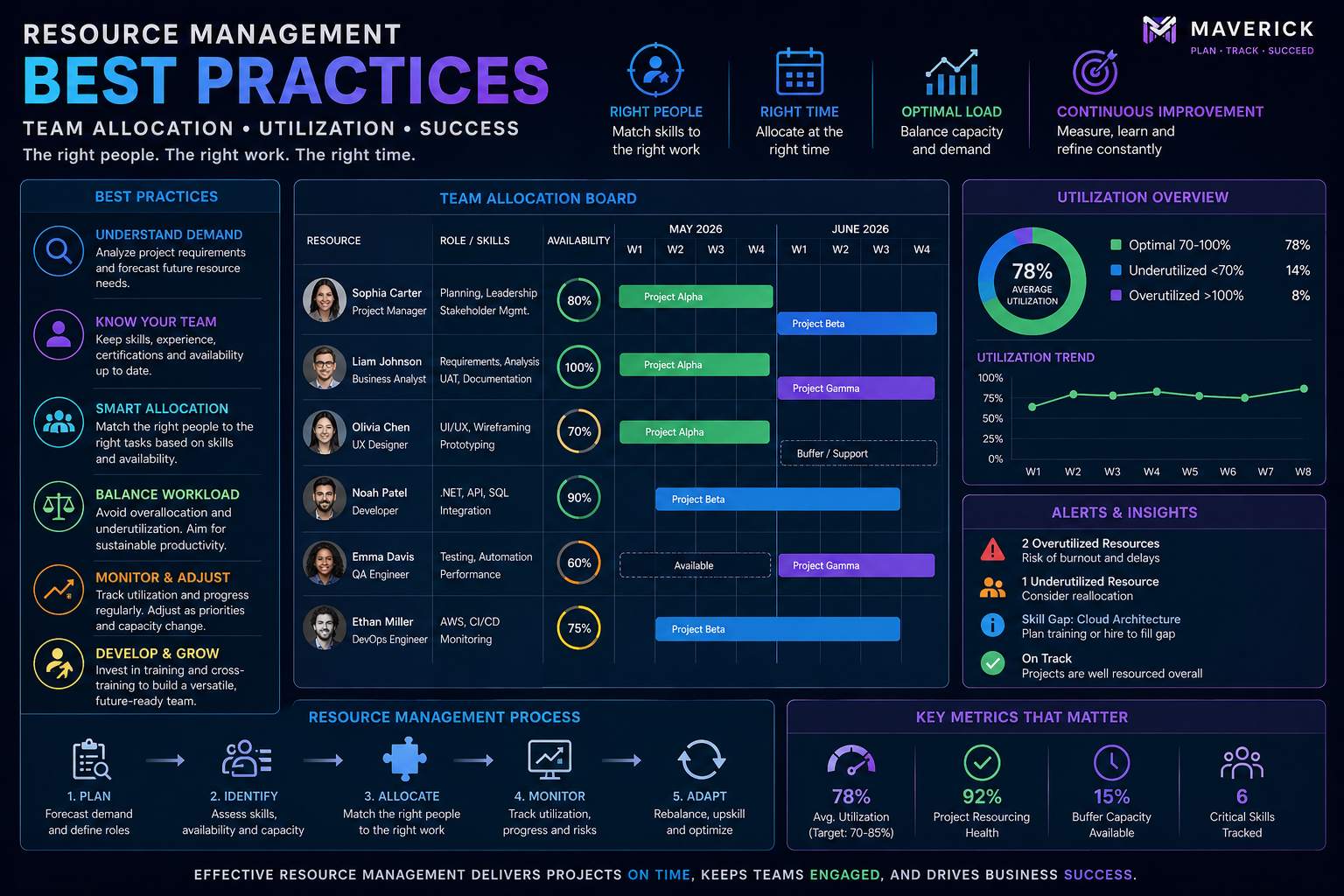
Poor resource management is one of the leading causes of project delays, team burnout, and budget overruns. When people are overloaded, quality suffers. When they're underutilized, you're wasting capacity you're paying for. The goal of effective resource management is to keep your team in the productive middle — fully engaged, never overwhelmed.
This article shares the proven strategies that high-performance project teams use to allocate resources effectively, prevent conflicts, and deliver consistently.
Know Your Resource Types
Resource management begins with understanding that not all resources are the same. Maverick Project Scheduler distinguishes between three resource types:
- Human resources: People — employees, contractors, consultants. Assigned by utilization percentage or hours per day.
- Material resources: Consumable supplies — concrete, software licenses, raw materials. Tracked by quantity consumed per task.
- Machine resources: Equipment and tools — vehicles, manufacturing equipment, computing resources. Tracked by utilization and availability.
Many project managers focus only on human resources and neglect material and machine planning. This leads to unexpected delays when a critical piece of equipment is unavailable or a material shipment arrives late.
Assign by Percentage or Hours — Not Just Names
Simply assigning a person to a task doesn't tell you whether they can realistically complete it. Effective resource assignment includes specifying how much of their time is committed.
Maverick Project Scheduler supports both utilization percentage (e.g., 50% of working hours) and absolute hours (e.g., 4 hours per day). This allows the system to calculate whether a team member is over or underloaded across their entire task portfolio, not just on individual tasks.
"The most common mistake in resource assignment is treating it as a name list, not a capacity plan. Every assignment should answer: how many hours per day, and for how long?"
Use Availability Charts to Spot Problems Early
Resource availability charts show, day by day, how many hours each team member has available versus how many are already allocated. In Maverick Project Scheduler, color-coded alerts flag over and under utilization instantly:
- Red: Over-allocated — this person cannot realistically complete all assigned work
- Yellow: Near capacity — monitor closely for risk
- Green: Appropriately loaded — on track
- Gray: Under-utilized — additional work can be assigned
Reviewing availability charts weekly as part of your project rhythm lets you catch resource conflicts before they become missed deadlines.
Automatic Resource Leveling
When a resource is overloaded, manual rescheduling is tedious and error-prone. Resource leveling algorithms solve this automatically by shifting tasks to eliminate overallocation while keeping the schedule as compressed as possible.
Maverick Project Scheduler's AI-powered resource leveling analyzes the entire project portfolio simultaneously, accounting for task priorities, link relationships, available float, and skill-based assignments. The result is a leveled schedule that a human planner would take hours to produce — generated in seconds.
Plan Across the Portfolio, Not Just One Project
The most damaging resource conflicts happen when team members are assigned to multiple projects simultaneously. A developer who is 100% committed to Project A cannot also be 80% committed to Project B — but without a portfolio view, both project managers may make that exact assignment without realizing the conflict.
Maverick Project Scheduler's portfolio view shows resource utilization across all active projects simultaneously, giving resource managers and executives a single place to identify and resolve cross-project conflicts before they escalate.
Filter and Sort by Resource Assignment
One of the most powerful resource management tools is a simple one: filtering your task grid by resource. This instantly shows you every task assigned to a specific person or team across all projects — sorted by due date, priority, or any of 60+ task properties.
When a team member is unavailable (vacation, illness, turnover), this view lets you immediately assess the impact and begin reassigning or rescheduling affected tasks.
Track Estimates vs. Actuals
Resource planning is only valuable if it reflects reality. Tracking actual hours against estimated hours for every task lets you identify systematic estimation errors, improve future planning, and spot team members who are silently struggling with their workload.
Maverick Project Scheduler's project costing feature automatically computes estimates vs. actuals based on resource assignments and time tracking data — giving you a clear financial and operational picture at every level of the project hierarchy.
Master Resource Management in Your Next Project
Maverick Project Scheduler includes full resource assignment, availability charts with color-coded alerts, AI-powered leveling, and portfolio-level visibility — all accessible in the free cloud trial.
Start the Free Trial