What Is This Reference?
This page is the field-by-field companion to the Webhooks Integration guide. That guide covers setup, retries, and signature verification; this page documents exactly what arrives in every one of Maverick's 33 webhook events — every property name, its JSON type, and what it means. If you have not yet confirmed your webhook connection delivers at all, run the five-minute webhook connection smoke test first.
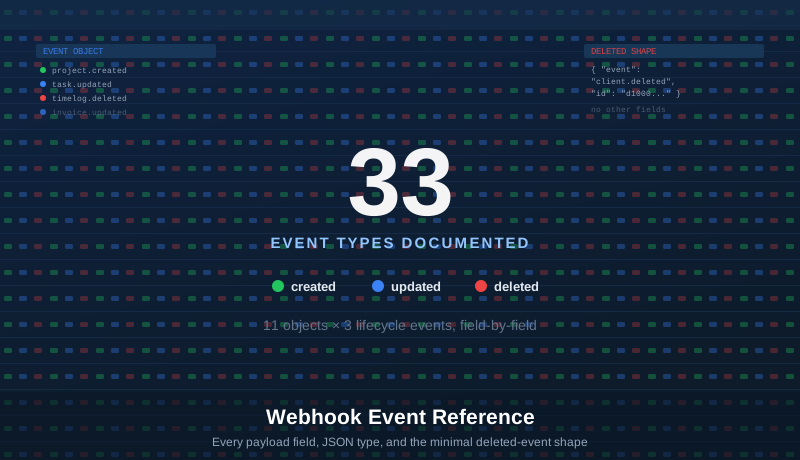
Maverick's webhook system covers 11 core objects, each with three lifecycle events — created, updated, and deleted — for 11 × 3 = 33 total event types. Every event name follows the same pattern: <object>.<action>, for example project.created or invoice.deleted. Field names match the OData Schema Reference exactly, so if you have already built reporting against the OData feed or a Zapier Zap, the property names below will look familiar.
Two Payload Shapes: Full Record vs. Minimal
Every webhook payload starts with the same event field naming which event fired, but the rest of the body takes one of two shapes depending on the action:
createdandupdatedevents include every field for that object — the full property table shown in each section below.deletedevents always use the minimal{ event, id }shape, because by the time the notification is sent, the record no longer exists in the database — there is nothing left to query.
// project.updated — full record { "event": "project.updated", "ProjectID": "b1000002-0000-0000-0000-000000000000", "ProjectName": "Sample Project", "Created": "2026-01-01T08:00:00-05:00", "Modified": "2026-01-15T09:00:00-05:00", "StartDate": "2026-01-01", "FinishDate": "2026-06-30", "Status": "Open", "ClientID": "d1000004-0000-0000-0000-000000000000", "ClientName": "Acme Corp" … every field in the Projects table below }
// project.deleted — minimal shape { "event": "project.deleted", "id": "b1000002-0000-0000-0000-000000000000" }
The id value in a deleted event always matches that object's primary key field — ProjectID for projects, TaskID for tasks, TimeLogID for time logs, and so on, as listed in each section below.
A Naming Gotcha: Event Prefix vs. Object Name
Two of the 11 objects use an event prefix that does not match the name you might expect from the OData feed or the app's UI. Check this table before wiring up a receiver:
| Event Prefix | Object | Note |
|---|---|---|
task.* | ProjectTasks | Scheduling tasks — not time log entries. Matches the OData ProjectTasks entity set and its TaskID primary key. |
timelog.* | TimeLogs | Timesheet entries. Matches the OData TimeLogs entity set and its TimeLogID primary key. |
subproject.* | Subprojects | Phases and sub-project nodes. Primary key field is SubsystemID — a legacy field name carried over from the OData feed. |
Every other event prefix (project, user, client, category, expense, inventory, invoice, billingrate) matches its object name directly.
Jump to Object
Projects · Tasks · TimeLogs · Subprojects · Users · Clients · Categories · Expenses · Inventory · Invoices · BillingRates
Projects (project.*)
Events: project.created, project.updated, project.deleted · Deleted-event id: ProjectID
| Field | JSON Type | Notes |
|---|---|---|
ProjectID | String | Primary key |
ProjectName | String | Project display name |
Created | DateTimeOffset | Record creation timestamp |
Modified | DateTimeOffset | Last-modified timestamp |
StartDate | Date or null | Scheduled project start date |
FinishDate | Date or null | Scheduled project end date |
ProjectLaunchDate | Date or null | Planned or actual launch/go-live date |
DeliveryDate | Date or null | Delivery or handoff date |
Description | String | Free-text project description |
Status | String | Project status (e.g. Open, On Hold, Closed) |
Priority | String | Priority level |
Active | Boolean | Whether the project is active (non-archived) |
ProjectProjectCode | String | Custom project code or number |
BillingType | String | Billing method code |
ProjectClientRate | Decimal (4 dp) | Default hourly client billing rate |
ProjectSalaryRate | Decimal (4 dp) | Default hourly salary/cost rate |
ProjectQty | Decimal (4 dp) | Custom quantity field |
ProjectQtyBuilt | Decimal (4 dp) | Quantity completed to date |
ProjectQuotedCost | Decimal (4 dp) | Quoted project cost (contract value) |
ProjectQuotedDuration | Integer | Quoted duration in hours |
PO | String | Purchase order number |
UserText1 | String | Custom field 1 |
UserText2 | String | Custom field 2 |
UserText3 | String | Custom field 3 |
ProjectFolder | String | Folder hierarchy path for organizing projects |
ClientID | String | FK → Clients |
ClientName | String | Denormalized client name |
ProjectProjectTypeName | String | Project type classification |
ManagerUserName | String | Login name of the assigned project manager |
ManagerFullName | String | Full name of the assigned project manager |
ProjectAssemblyLineName | String | Assembly line or workflow name |
Tasks (task.*)
Scheduling tasks — the ProjectTasks object, not time log entries. See the TimeLogs section below for timesheet events.
Events: task.created, task.updated, task.deleted · Deleted-event id: TaskID
| Field | JSON Type | Notes |
|---|---|---|
TaskID | String | Primary key |
TaskName | String | Task display name |
Created | DateTimeOffset | Record creation timestamp |
Modified | DateTimeOffset | Last-modified timestamp |
StartDate | Date or null | Scheduled start date |
FinishDate | Date or null | Scheduled finish date (CPM-calculated) |
TaskDueDate | Date or null | Due date (may differ from FinishDate) |
CompletedDate | Date or null | Actual completion date |
Description | String | Free-text task description |
Status | String | Task status |
Priority | String | Priority level |
PercentComplete | Integer | Completion percentage, 0–100 |
Completed | Boolean | Task fully complete flag |
Billable | Boolean | Whether time on this task is billable |
TaskDurationHours | Decimal (4 dp) | Scheduled duration in decimal hours |
ActualHours | Decimal (4 dp) | Total hours logged from timesheets for this task |
RemainingHours | Decimal (4 dp) | Estimated remaining hours to complete |
TaskCostClient | Decimal (4 dp) | Budgeted client cost |
TaskCostSalary | Decimal (4 dp) | Budgeted salary/internal cost |
TaskCostClientActual | Decimal (4 dp) | Actual incurred client cost to date |
TaskCostClientRemain | Decimal (4 dp) | Remaining client cost forecast |
TaskCostSalaryActual | Decimal (4 dp) | Actual incurred salary cost to date |
TaskCostSalaryRemain | Decimal (4 dp) | Remaining salary cost forecast |
TaskClientRate | Decimal (4 dp) | Effective hourly client rate for this task |
TaskSalaryRate | Decimal (4 dp) | Effective hourly salary rate for this task |
TaskQuotedCost | Decimal (4 dp) | Quoted/estimated cost for the task |
TaskQty | Decimal (4 dp) | Custom quantity field |
TaskQtyBuilt | Decimal (4 dp) | Quantity built/completed to date |
UserText1 | String | Custom field 1 |
UserText2 | String | Custom field 2 |
UserText3 | String | Custom field 3 |
ProjectID | String | FK → Projects |
ProjectName | String | Denormalized project name |
ClientID | String | FK → Clients |
ClientName | String | Denormalized client name |
SubsystemID | String | FK → Subprojects |
SubsystemName | String | Denormalized subproject/phase name |
CategoryID | String | FK → Categories |
CategoryName | String | Denormalized category name |
TaskProjectTypeName | String | Project type classification inherited from the project |
TaskAssemblyLineName | String | Assembly line or workflow name |
TimeLogs (timelog.*)
Timesheet entries — one row per logged time entry, linking a user to a project, task, subproject, and category.
Events: timelog.created, timelog.updated, timelog.deleted · Deleted-event id: TimeLogID
| Field | JSON Type | Notes |
|---|---|---|
TimeLogID | String | Primary key |
StartTime | DateTimeOffset or null | Clock-in date and time |
EndTime | DateTimeOffset or null | Clock-out date and time |
Created | DateTimeOffset | Record creation timestamp |
Modified | DateTimeOffset | Last-modified timestamp |
Date | Date or null | Calendar date of the entry, derived from StartTime |
TimeLogDurationHours | Decimal (4 dp) | Elapsed hours (EndTime − StartTime) |
Billable | Boolean | Whether the time is billable to the client |
Billed | Boolean | Whether an invoice has been issued for this entry |
Approved | Boolean | Manager-approved flag |
TimeLogCostClient | Decimal (4 dp) | Hours × client rate |
TimeLogCostSalary | Decimal (4 dp) | Hours × salary rate |
TimeLogClientRate | Decimal (4 dp) | Effective hourly client billing rate |
TimeLogSalaryRate | Decimal (4 dp) | Effective hourly salary/cost rate |
TimeLogQty | Decimal (4 dp) | Custom quantity field |
UserName | String | Login name of the employee who logged time |
TimeLogUserFullName | String | Full display name of the employee |
Notes | String | Free-text memo entered by the employee |
ProjectName | String | Denormalized project name |
ClientName | String | Denormalized client name |
TaskName | String | Denormalized task name |
SubsystemName | String | Denormalized subproject/phase name |
CategoryName | String | Denormalized category name |
SubsystemID | String | FK → Subprojects |
ProjectID | String | FK → Projects |
UserID | String | FK → Users |
ClientID | String | FK → Clients |
ProjectTaskID | String | FK → Tasks (TaskID) — field names differ |
CategoryID | String | FK → Categories |
Location | String | Physical location recorded at time of entry |
UserText1 | String | Custom field 1 |
UserText2 | String | Custom field 2 |
UserText3 | String | Custom field 3 |
Subprojects (subproject.*)
Phases and sub-project nodes. The primary key field is SubsystemID — a legacy field name carried over from the database and the OData feed.
Events: subproject.created, subproject.updated, subproject.deleted · Deleted-event id: SubsystemID
| Field | JSON Type | Notes |
|---|---|---|
SubsystemID | String | Primary key |
Name | String | Subproject display name |
Created | DateTimeOffset | Record creation timestamp |
Modified | DateTimeOffset | Last-modified timestamp |
StartDate | Date or null | Phase scheduled start date |
FinishDate | Date or null | Phase scheduled finish date |
SubprojectLaunchDate | Date or null | Launch or go-live date for this phase |
ExtendedName | String | Full hierarchical name including parent path |
Description | String | Free-text description |
Status | String | Phase status |
Priority | String | Priority level |
Active | Boolean | Active/archived flag |
Level | Integer | Depth in hierarchy — 1 = top-level phase |
Order | Integer | Display sort order among siblings |
SubprojectProjectCode | String | Custom project code for this phase |
SubprojectQuotedDuration | Integer | Quoted phase duration in hours |
SubprojectQuotedCost | Decimal (4 dp) | Quoted phase cost |
SubprojectClientRate | Decimal (4 dp) | Default client billing rate for this phase |
SubprojectSalaryRate | Decimal (4 dp) | Default salary/cost rate for this phase |
SubprojectQty | Decimal (4 dp) | Custom quantity field |
SubprojectQtyBuilt | Decimal (4 dp) | Quantity completed |
UserText1 | String | Custom field 1 |
UserText2 | String | Custom field 2 |
UserText3 | String | Custom field 3 |
ProjectID | String | FK → Projects (parent project) |
ProjectName | String | Denormalized project name |
ParentID | String or empty | FK → Subprojects (parent phase); empty at top level |
Users (user.*)
Employees, contractors, machines, and material resources. ResourceType distinguishes the three resource kinds.
Events: user.created, user.updated, user.deleted · Deleted-event id: UserID
| Field | JSON Type | Notes |
|---|---|---|
UserID | String | Primary key |
UserName | String | Login/account name |
Created | DateTimeOffset | Record creation timestamp |
Modified | DateTimeOffset | Last-modified timestamp |
HireDate | Date or null | Hire or onboarding date |
FullName | String | Full display name |
Email | String | Email address |
Active | Boolean | Active/inactive flag |
Admin | Boolean | Administrator rights flag |
Contractor | Boolean | External contractor flag |
Exempt | Boolean | FLSA-exempt (salaried) flag |
Workgroup | String | Workgroup assignment name |
Department | String | Department name |
EmployeeNum | String | Employee ID number |
ResourceType | String | Human, Machine, or Materials — the three Maverick resource kinds |
UserClientRate | Decimal (4 dp) | Default hourly client billing rate |
UserSalaryRate | Decimal (4 dp) | Default hourly salary/cost rate |
UserMileageRate | Decimal (4 dp) | Mileage reimbursement rate per mile/km |
Skills | String | Free-text skills list |
UserRole | String | Role code |
ManagerID | String or empty | FK → Users (reporting manager); empty at org top |
UserText1 | String | Custom field 1 |
UserText2 | String | Custom field 2 |
UserText3 | String | Custom field 3 |
UserRoleName | String | Role display name |
ParentName | String | Workgroup parent name in the resource tree |
Clients (client.*)
Client companies and internal organizations. ThisCompany marks the account holder's own organization.
Events: client.created, client.updated, client.deleted · Deleted-event id: ClientID
| Field | JSON Type | Notes |
|---|---|---|
ClientID | String | Primary key |
CompanyName | String | Client company name |
Created | DateTimeOffset | Record creation timestamp |
Modified | DateTimeOffset | Last-modified timestamp |
Active | Boolean | Active/inactive flag |
ThisCompany | Boolean | Marks the account holder's own company record |
Description | String | Free-text description |
Status | String | Client status |
Priority | String | Priority level |
ClientTerms | String | Payment terms (e.g. "30" for Net 30) |
Web | String | Client website URL |
ClientInvoiceNote | String | Default note printed on invoices for this client |
ClientTaxRate | Decimal (4 dp) | Default tax rate used when generating invoices |
TaxID | String | Tax identification number (EIN/VAT) |
MainContact | String | Primary contact person name |
MainContactPhone | String | Primary contact phone |
MainContactMobile | String | Primary contact mobile |
MainContactFax | String | Primary contact fax |
MainContactEmail | String | Primary contact email |
MainAddress1 | String | Main address line 1 |
MainAddress2 | String | Main address line 2 |
MainCity | String | Main address city |
MainState | String | Main address state/province |
MainZip | String | Main address postal code |
MainCountry | String | Main address country |
BillingContact | String | Billing contact person name |
BillingContactPhone | String | Billing contact phone |
BillingContactMobile | String | Billing contact mobile |
BillingContactFax | String | Billing contact fax |
BillingContactEmail | String | Billing contact email |
BillingAddress1 | String | Billing address line 1 |
BillingAddress2 | String | Billing address line 2 |
BillingCity | String | Billing address city |
BillingState | String | Billing address state/province |
BillingZip | String | Billing address postal code |
BillingCountry | String | Billing address country |
CurrencyID | String | Currency code (e.g. USD, EUR) |
ClientFolder | String | Folder path for organizing clients |
Categories (category.*)
Work categories used to classify time log entries and expenses. Categories can optionally be scoped to a specific project, phase, or user.
Events: category.created, category.updated, category.deleted · Deleted-event id: CategoryID
| Field | JSON Type | Notes |
|---|---|---|
CategoryID | String | Primary key |
Name | String | Category display name |
Created | DateTimeOffset | Record creation timestamp |
Modified | DateTimeOffset | Last-modified timestamp |
Active | Boolean | Active/inactive flag |
CategoryClientRate | Decimal (4 dp) | Client billing rate override for this category |
CategorySalaryRate | Decimal (4 dp) | Salary/cost rate override for this category |
Description | String | Free-text description |
ProjectID | String or empty | FK → Projects — when set, category is scoped to this project only |
SubsystemID | String or empty | FK → Subprojects — when set, category is scoped to this phase only |
UserID | String or empty | FK → Users — when set, category is scoped to this user only |
CategoryFolder | String | Folder path for organizing categories |
Expenses (expense.*)
Expense reports — receipts, mileage, and reimbursements submitted by employees.
Events: expense.created, expense.updated, expense.deleted · Deleted-event id: ExpenseID
| Field | JSON Type | Notes |
|---|---|---|
ExpenseID | String | Primary key |
Created | DateTimeOffset | Record creation timestamp |
Modified | DateTimeOffset | Last-modified timestamp |
ExpenseDate | Date or null | Date the expense was incurred |
Billable | Boolean | Whether the expense is billable to the client |
Billed | Boolean | Whether an invoice has been issued for this expense |
Reimbursable | Boolean | Whether the employee is to be reimbursed |
Reimbursed | Boolean | Whether reimbursement has been paid |
CompanyPaid | Boolean | Paid with a company credit card or account |
Approved | Boolean | Manager-approved flag |
ExpenseAmount | Decimal (4 dp) | Total expense amount |
Price | Decimal (4 dp) | Unit price (for quantity-based expenses) |
ExpenseQty | Decimal (4 dp) | Quantity (for quantity-based expenses) |
Tax | Decimal (4 dp) | Tax amount on the expense |
ExpenseMileageRate | Decimal (4 dp) | Per-mile/km reimbursement rate for mileage entries |
Distance | Decimal (4 dp) | Distance traveled (for mileage entries) |
OdometerBegin | Decimal (4 dp) | Starting odometer reading |
OdometerEnd | Decimal (4 dp) | Ending odometer reading |
PO | String | Purchase order number |
Payee | String | Merchant or payee name |
CheckNum | String | Check number if paid by check |
Description | String | Expense description |
Location | String | Location where the expense was incurred |
UserText1 | String | Custom field 1 |
UserText2 | String | Custom field 2 |
UserText3 | String | Custom field 3 |
UserName | String | Denormalized employee login name |
ExpenseUserFullName | String | Denormalized employee full name |
ProjectName | String | Denormalized project name |
ClientName | String | Denormalized client name |
SubsystemName | String | Denormalized subproject/phase name |
CategoryName | String | Denormalized category name |
ExpenseProjectTypeName | String | Project type classification |
InventoryName | String | Linked inventory item name (if expense draws from inventory) |
InventoryCode | String | Linked inventory item code |
ProjectID | String | FK → Projects |
ClientID | String | FK → Clients |
UserID | String | FK → Users |
SubsystemID | String | FK → Subprojects |
CategoryID | String | FK → Categories |
Inventory (inventory.*)
Parts, materials, and physical assets tracked in stock.
Events: inventory.created, inventory.updated, inventory.deleted · Deleted-event id: InventoryID
| Field | JSON Type | Notes |
|---|---|---|
InventoryID | String | Primary key |
Name | String | Item display name |
Created | DateTimeOffset | Record creation timestamp |
Modified | DateTimeOffset | Last-modified timestamp |
Active | Boolean | Active/inactive flag |
Status | String | Item status |
QtyInStock | Decimal (4 dp) | Current quantity on hand |
QtyWhenToReorder | Decimal (4 dp) | Reorder point |
QtyToReorder | Decimal (4 dp) | Quantity to order when reordering |
CostUnit | Decimal (4 dp) | Cost per unit (purchase cost) |
CostClient | Decimal (4 dp) | Client billing price per unit |
Labor | Decimal (4 dp) | Labor cost component per unit (for Build items) |
Description | String | Free-text description |
Code | String | Internal item code |
UnitsType | String | Unit of measure (each, lb, ft, etc.) |
BuyOrBuild | String | "Buy" or "Build" sourcing decision |
LeadTimeDays | Integer | Procurement lead time in days |
Weight | String | Item weight |
Size | String | Item dimensions or size |
Condition | String | Physical condition (New, Used, Refurbished, etc.) |
SKU | String | Internal stock keeping unit |
VendorSKU | String | Vendor's item number |
MfgSKU | String | Manufacturer's part number |
ModelNum | String | Model number |
SerialNum | String | Serial number |
Vendor | String | Vendor/supplier name |
Manufacturer | String | Manufacturer name |
Location | String | Physical storage location |
Weblink | String | Vendor or product page URL |
Notes | String | Free-text notes |
UserText1 | String | Custom field 1 |
UserText2 | String | Custom field 2 |
UserText3 | String | Custom field 3 |
InventoryFolder | String | Folder path for organizing inventory items |
Invoices (invoice.*)
Invoice records with totals, due dates, and payment status.
Events: invoice.created, invoice.updated, invoice.deleted · Deleted-event id: InvoiceID
| Field | JSON Type | Notes |
|---|---|---|
InvoiceID | String | Primary key |
InvoiceNum | String | Human-readable invoice number (e.g. INV-1042) |
Created | DateTimeOffset | Record creation timestamp |
Modified | DateTimeOffset | Last-modified timestamp |
DateSent | Date or null | Date the invoice was sent to the client |
InvoiceDueDate | Date or null | Payment due date |
DatePaid | Date or null | Date payment was received |
StartRange | Date or null | Billing period start date |
EndRange | Date or null | Billing period end date |
MilestoneDate | Date or null | Milestone date |
PaidInFull | Boolean | Invoice fully paid flag |
SubTotal | Decimal (4 dp) | Subtotal before tax |
InvoiceTaxRate | Decimal (4 dp) | Tax rate applied |
TaxAmount | Decimal (4 dp) | Tax amount |
InvoiceAmount | Decimal (4 dp) | Total invoice amount including tax |
AmountPaid | Decimal (4 dp) | Amount received to date |
BalanceDue | Decimal (4 dp) | Remaining balance |
InvoiceTerms | String | Payment terms (e.g. "Net 30") |
PO | String | Client purchase order number |
InvoiceInvoiceNote | String | Note printed on the invoice |
Notes | String | Internal memo |
Representative | String | Sales representative name |
ClientName | String | Denormalized client name |
ProjectName | String | Denormalized project name |
SubprojectName | String | Denormalized subproject name |
TaskName | String | Denormalized task name |
UserName | String | Denormalized user name |
MilestoneName | String | Milestone name if invoice is tied to a milestone |
ClientID | String | FK → Clients |
ProjectID | String | FK → Projects |
SubprojectID | String | FK → Subprojects |
TaskID | String | FK → Tasks |
BillingRates (billingrate.*)
Rate schedule records — hourly client and salary rates scoped by user, project, category, or role, with optional effective date ranges.
Events: billingrate.created, billingrate.updated, billingrate.deleted · Deleted-event id: BillingRateID
| Field | JSON Type | Notes |
|---|---|---|
BillingRateID | String | Primary key |
RateType | String | Scope of this rate — "User", "Project", "Category", or "Role" |
Created | DateTimeOffset | Record creation timestamp |
Modified | DateTimeOffset | Last-modified timestamp |
StartDate | Date or null | Effective date start |
EndDate | Date or null | Effective date end |
BillingRateClientRate | Decimal (4 dp) | Hourly client billing rate |
BillingRateSalaryRate | Decimal (4 dp) | Hourly salary/cost rate |
UserName | String | Denormalized user name |
ProjectName | String | Denormalized project name |
CategoryName | String | Denormalized category name |
BillingRateRoleName | String | Role name (when RateType = "Role") |
UserID | String | FK → Users (when RateType = "User") |
ProjectID | String | FK → Projects (when RateType = "Project") |
CategoryID | String | FK → Categories (when RateType = "Category") |
RoleID | String | Role identifier — no corresponding OData entity set |
Delivery, Retries & Signing (Quick Recap)
Full details, code samples, and the Active toggle are covered in the Webhooks Integration guide. The short version:
- Every payload is signed with HMAC-SHA256 in the
X-ST-Webhook-Signatureheader, formattedsha256=<hex>. - Delivery runs on a background task with up to three attempts — immediate, then +5 seconds, then +30 seconds — each with a 10-second timeout.
- If all three attempts fail, the event is not retried further — there is no persistent retry queue.
- The Test button in the Webhook Subscriptions dialog sends one hard-coded sample payload per event type and makes exactly one delivery attempt, not three.