Scope of Work
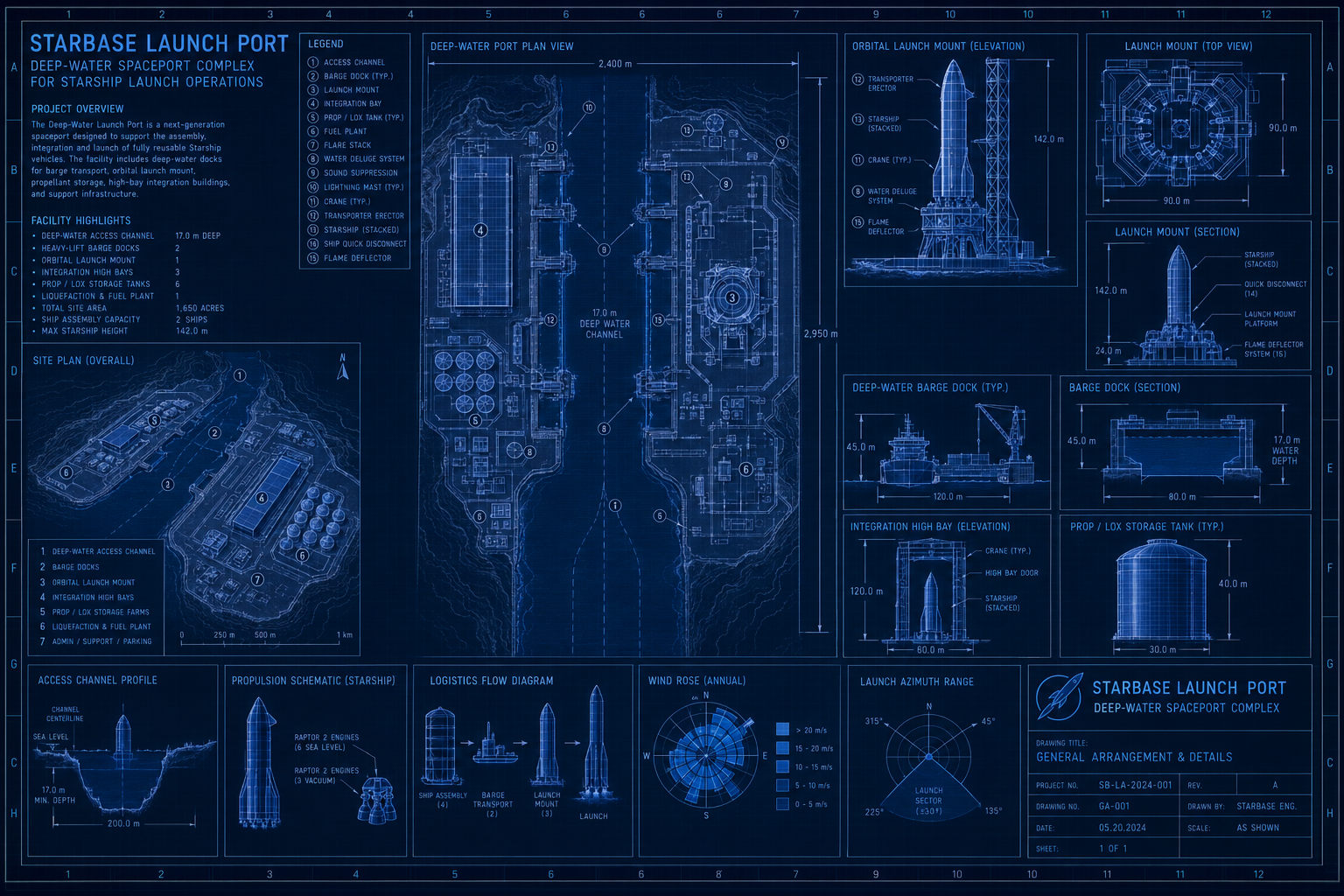
On August 25, 2026, SpaceX confirmed plans for Starbase Louisiana, a $100 billion, self-sustaining spaceport on roughly 125,000 acres near Pecan Island in Vermilion Parish. The company's own description of the site lists ten launchpads, fuel production facilities, a power plant, employee housing, an airport — and a deep-water shipping port. Construction is reported to start in 2027, with a first Starship launch from the site targeted for 2029.
That is a real, publicly reported plan, and it is genuinely inspiring: a spaceport large enough to need its own city, built from bare coastal marshland. It is also, for a scheduling tool built for construction, engineering, and services teams, obviously too large a program to schedule end to end — ten launchpads, a fuel plant, and a crewed vehicle program belong in an aerospace-grade integrated master schedule, not in Maverick. What Maverick fits is a package inside a program like that: one deliverable, subcontracted out, with its own start date, its own crews, and its own handoff milestone back to the prime.
Fictional scheduling scenario. This blueprint is an independently created, hypothetical scheduling exercise. Star Point Deepwater Contractors is a fictional company invented for this blueprint, and this page is not affiliated with, endorsed by, or produced in cooperation with SpaceX. All schedule data, dates, and dollar figures for the marine terminal package below are fictional; only the background facts about the real Starbase Louisiana announcement (cited above and in the Fun Fact section) are sourced from public reporting.
The scenario: Star Point Deepwater Contractors, a Gulf Coast marine and heavy-civil subcontractor, is awarded the deep-water port and cryogenic marine terminal package for a Starbase-style launch site — dredging, quay wall, LOX/LCH4 storage and ship-to-shore transfer infrastructure, and the terminal building. The prime EPC contractor hands Star Point an MS Project XML export of its slice of the master schedule. Star Point's own project controls team imports that one file into Maverick and runs the package from there — independent of whatever tool the prime uses for the other nine-tenths of the site.
What You’ll Practice
Six things this blueprint exercises that most of the others on this site do not.
MS Project XML handoff import
Three-level work breakdown structure
FS, SS+lag, and FF link types together
Manual resource assignment after import
Critical path through a regulatory calendar
Subcontractor billing rate & cost tracking
Berth 1: Import the Package Schedule
Unlike the two-file, order-dependent CSV import used on the humanoid robot actuator line blueprint, this is one file and one import action — but it has a prerequisite the CSV import doesn't: Maverick's MS Project XML importer writes into an existing project, it does not create one from the file. Open the Project Assistant, choose Create a new project, name it Star Point Deepwater Contractors - Marine Terminal Package, and click Finish immediately — not Next — to skip the task-entry step and leave the project empty.
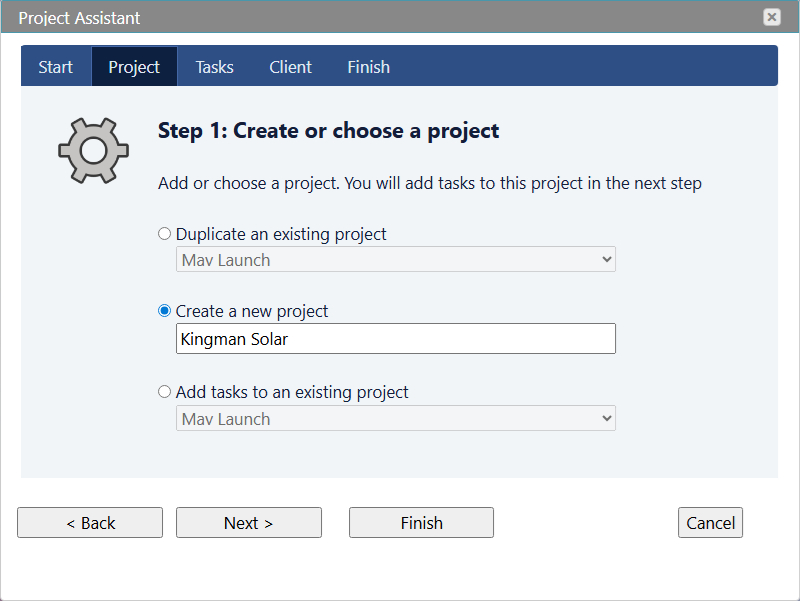
Alternatively, skip the wizard entirely and create the empty project shell straight from the Projects grid:
- Go to Home (All Views).
- Click Projects.
- Click the green “+” Plus button to add a new project.
- Name it
Star Point Deepwater Contractors - Marine Terminal Package. - Click Save and Close.
Either path leaves the same thing behind: a project with a name and no tasks, ready to receive the import. Go to Home → Projects, select that new project row, then go to File → Import → MS Project XML Tasks (*.xml) and choose the file below.
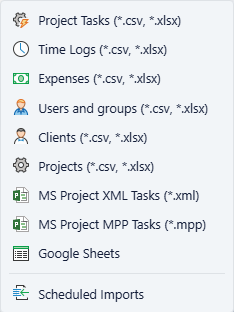
Process tip: select the project before you import. If no project is selected in a grid view when you choose MS Project XML Tasks, Maverick refuses the import with “Select a project in any grid view before choosing Import XML” rather than silently creating one. That is the opposite of the CSV import's behavior, where an unrecognized Project column value auto-creates the project. Create the empty shell first, then import into it.
Berth 2: Verify the Work Breakdown
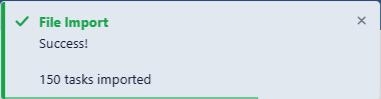
The import reports 150 tasks imported. Go to Home → Projects, right-click the project, and choose Admin → Subprojects to confirm the structure: 9 berths (top-level phases) holding 26 nested subgroups, in the exact order and nesting the XML file specified through its <OutlineLevel> values — Maverick's importer has no explicit parent-task field to read, so it derives every parent/child relationship purely from that outline sequence.
A preview of the schedule — the full download has all 150 rows across all nine berths:
| Berth | Task | Duration | Start | Predecessors |
|---|---|---|---|---|
| Berth 1 | Execute subcontract agreement with prime EPC contractor | 0.0h | 2027-03-01 | — |
| Berth 3 | Dredge equipment mobilization and readiness inspection complete | 0.0h | 2027-08-19 | Stage cutterhead dredge and support tugs[FS] |
| Berth 3 | Begin channel dredging within approved in-season window | 0.0h | 2027-11-01 | Dredge equipment mobilization complete[FS] |
| Berth 4 | Mobilize marine pile driving barge and crane spread | 5d | 2028-03-07 | Dredging and disposal phase complete[FS] |
| Berth 5 | Fabricate LOX storage tank shell and vacuum jacket off-site | 60d | 2028-05-17 | Award tank fabrication contract[FS] |
| Berth 6 | Excavate and pour terminal building foundation | 8d | 2028-07-14 | Form and pour quay wall pile caps, Segment 1[SS+30d] |
| Berth 8 | Confirm marine and cryogenic systems ready for integrated commissioning | 4h | 2029-04-12 | Mooring load test complete[FF]; Cryo/SCADA integration complete[FF] |
| Berth 8 | Host US Coast Guard facility inspection | 3d | 2029-05-09 | Cryo commissioning[FS]; Terminal integration[FS]; Marine load testing[FS] |
| Berth 9 | Formal handoff of deep-water port package to prime program | 0.0h | 2029-07-03 | Complete final site cleanup[FS] |
Look for 185 total rows in the raw file, 150 of them real tasks. The XML contains 185 <Task> elements total — 150 with <Summary>0</Summary> (the actual work, which is what the 150-task import count reflects) and 35 with <Summary>1</Summary> (the 9 berths plus 26 subgroups, which become Subproject records instead of task records). If your task grid shows fewer than 150 rows, the most common cause is a task with an empty <Name> — Maverick's importer silently skips those as phantom MSPDI rows.
Berth 3: Confirm the Dependency Links
Every <PredecessorLink> in the file arrived pre-wired, the same as a CSV's Predecessors column — there is no manual linking protocol here, unlike the tagged-paste technique used elsewhere on this site. What's worth reviewing is which of the four link types landed where. Most of the 150 tasks chain plain Finish-to-Start. Three places break that pattern on purpose.
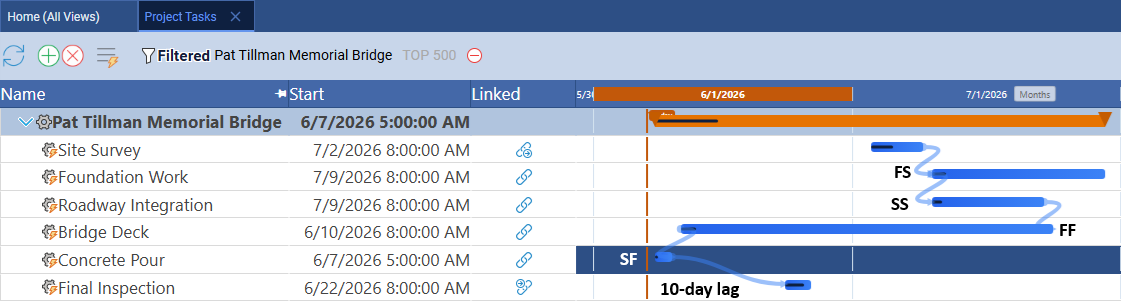
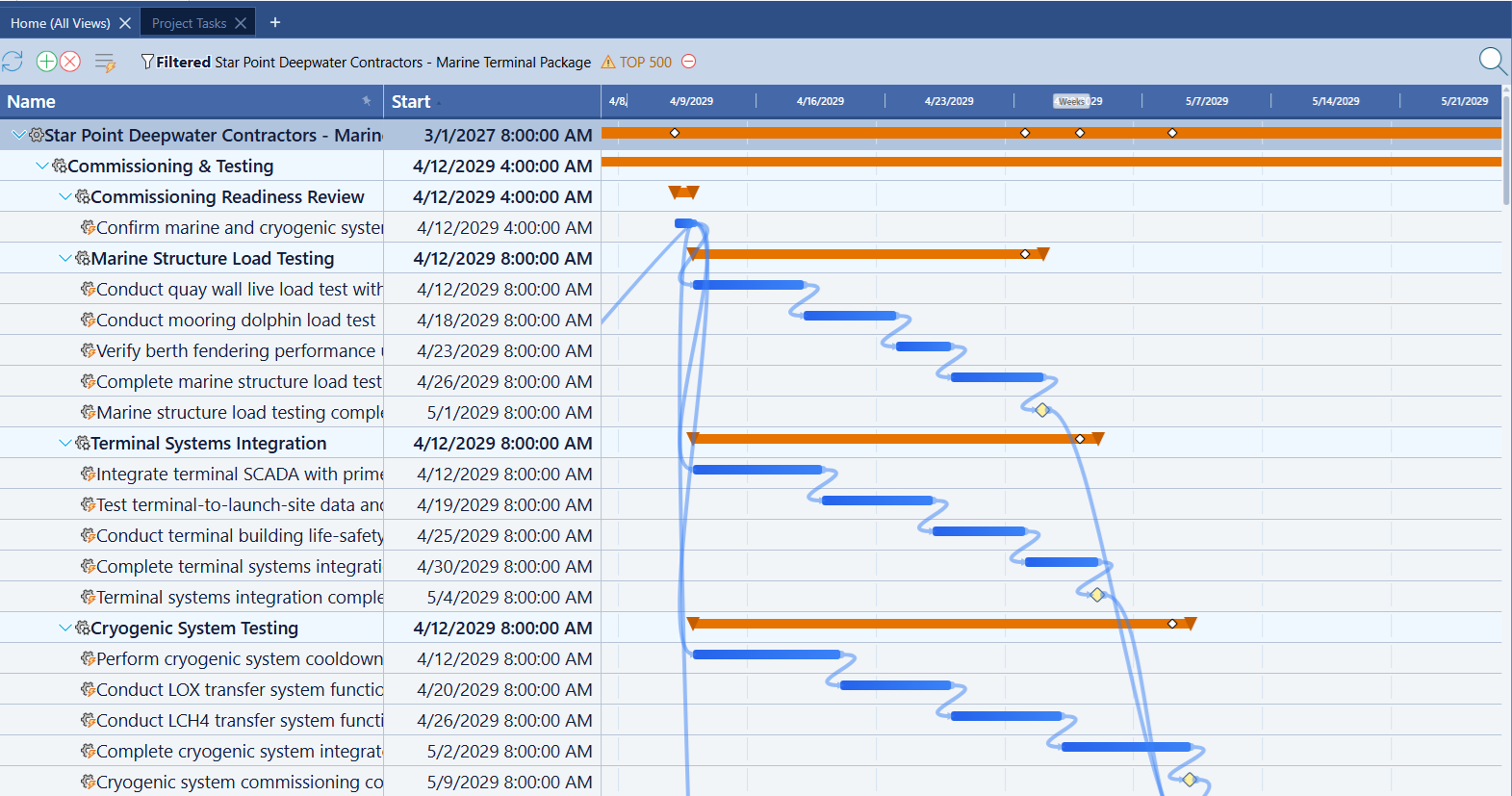
Definition: reading the three non-default links. Start-to-Start with lag — the terminal building's foundation work starts 30 workdays after quay wall pile-cap work begins, not after it finishes, because site access is established well before the quay wall is done. Finish-to-Finish — a short “confirm systems ready” task is pinned to finish at the same moment both the marine structures track and the cryogenic infrastructure track finish, the same pattern used for the gearbox/motor mating step on the actuator line blueprint. Multi-predecessor Finish-to-Start — the Coast Guard inspection cannot start until all three commissioning subgroups (cryogenic, terminal, marine) report complete, a three-way gate rather than a single chain.
Berth 4: Assign Resources
Open any imported task's Properties panel and check the Users field — it's empty. This is the one capability MSPDI XML genuinely lacks compared to the CSV import: the format has no field for resource assignments, so Maverick's importer brings in names, dates, durations, and links, but nothing about who does the work. Assign Star Point's crews and equipment the same way as any manually built project.
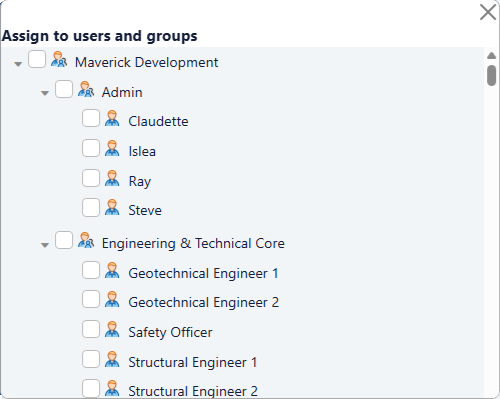
Warning: an XML import that looks complete usually isn't. Because every task already carries a name, a date, and a duration, a freshly imported schedule can look fully built at a glance. It isn't — there is no resource on any of the 150 tasks yet. Budget real time for this step before setting a baseline; a baseline locked against an unassigned schedule captures dates but tells you nothing about crew or equipment load.
Berth 5: Set the Baseline
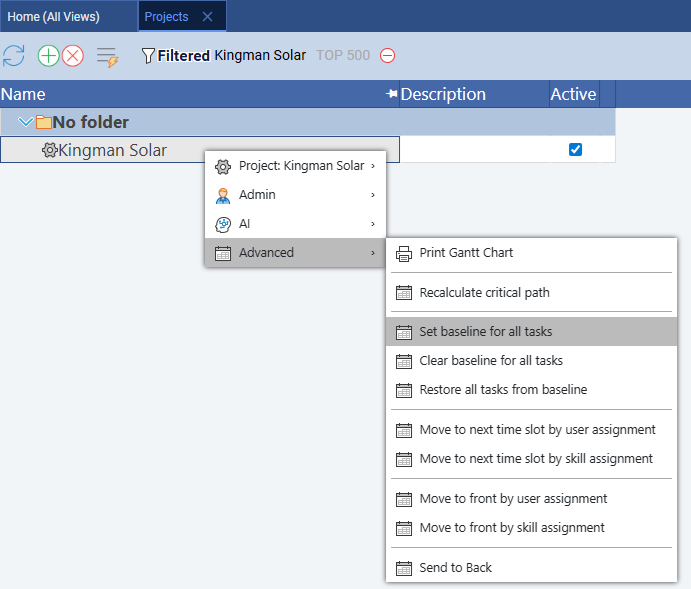
Once resources are assigned, right-click the project row and choose Advanced → Set baseline for all tasks to lock the subcontract schedule before mobilization spends a dollar.
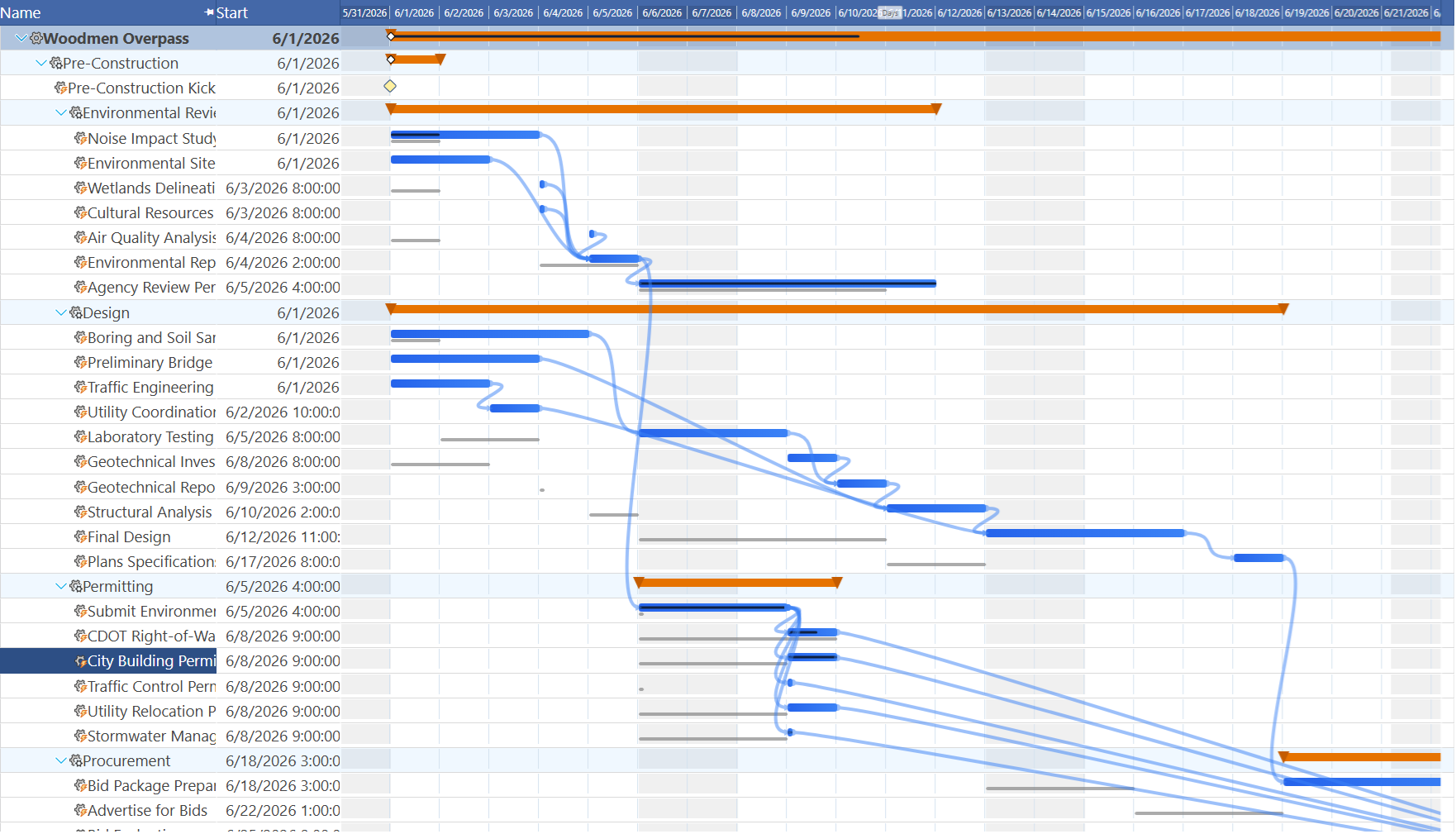
Process tip: baseline after the dredging window is confirmed, not before. Because the dredging berth's start date is pinned to a fixed regulatory window rather than a duration Star Point controls, baseline this project only after the in-season start date in Berth 3 is final. Baselining earlier and then having the window shift by even a few days makes every downstream ghost bar in Berths 4 through 9 misleading from day one.
Berth 6: Run the Critical Path
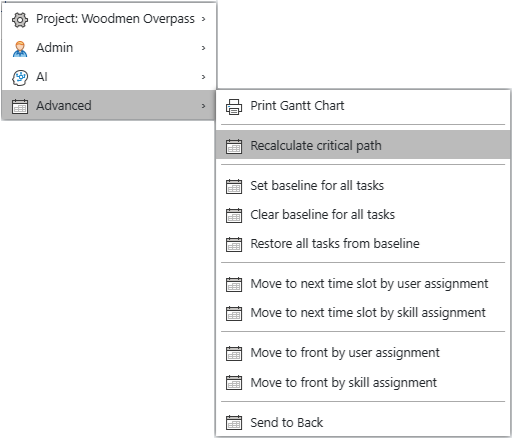
Right-click the project row and choose Advanced → Recalculate critical path.
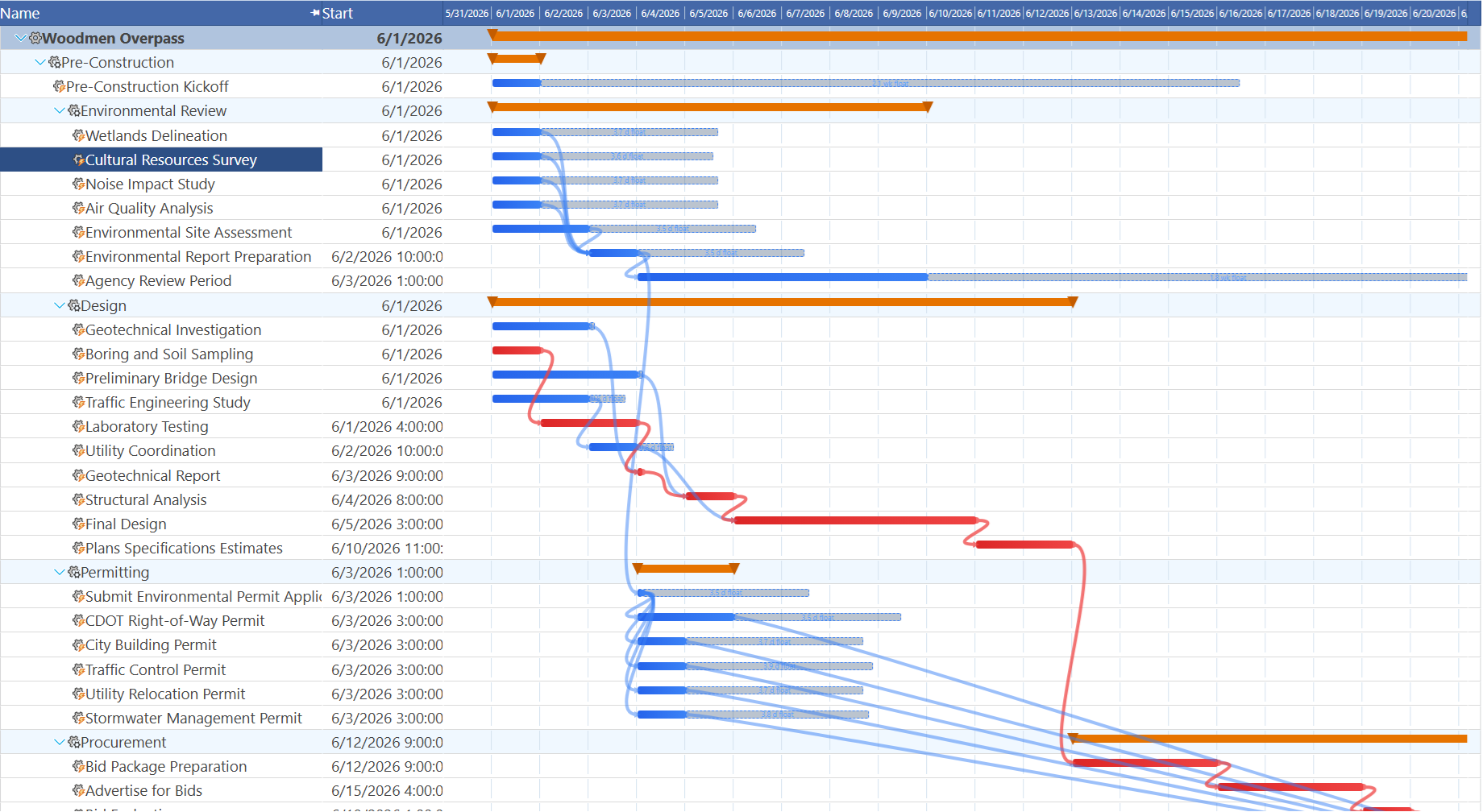
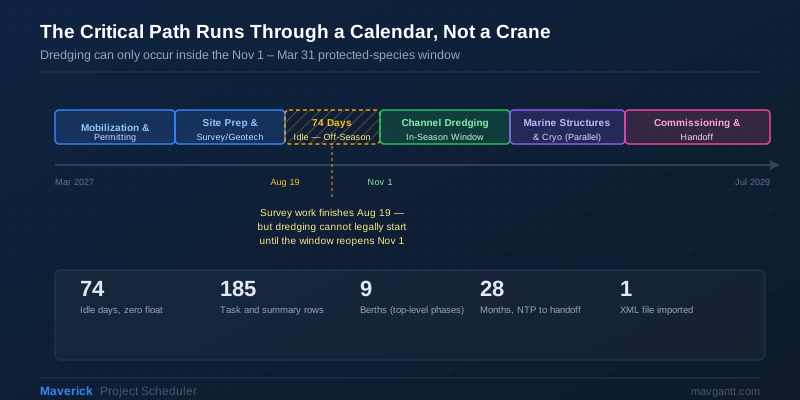
Industry insight: the critical path runs through a calendar, not a crane. Survey and geotechnical work in Berth 3 finishes with time to spare — but channel dredging cannot legally begin until the Nov 1–Mar 31 protected-species window reopens. That 74-day gap between “ready to dredge” and “allowed to dredge” is zero-float, critical time, even though no equipment, crew, or material is missing during it. It is the same shape of risk as a long-lead procurement item, but the fix isn't a purchase order — it's applying for the environmental permit early enough that the window, not the paperwork, is the constraint.
Why Only the Port, Not the Pad
It's worth being explicit about the scope boundary this blueprint keeps, because it's the whole reason the story works. A real spaceport program at Starbase Louisiana's scale runs on an integrated master schedule spanning geotechnical work, launch pad construction, orbital tower fabrication, propellant production, a power plant, and a crewed vehicle test program — almost certainly managed in a heavy scheduling platform built for exactly that scope, by the prime program's own controls team. Maverick is not trying to replace that tool, and this blueprint doesn't pretend Star Point Deepwater Contractors is running the whole site.
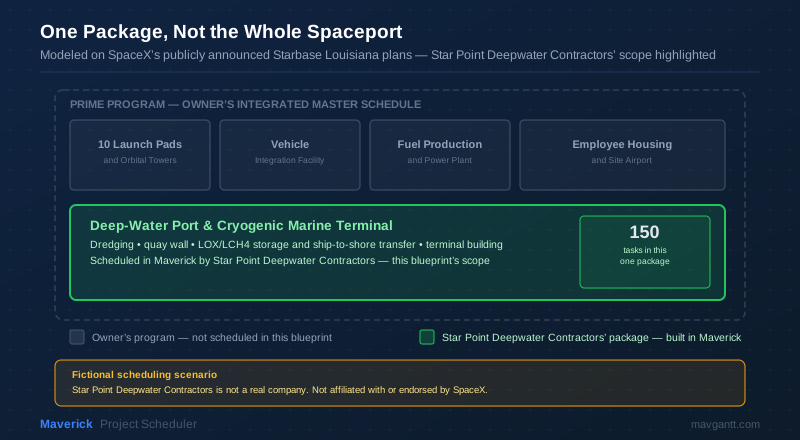
Audit note: the handoff boundary is the XML file itself. Everything Star Point is accountable for — and only that — is what the prime exported into the 150-task file in Berth 1. If the scope of work changes, the correct response is a change order and a re-import (Maverick's importer matches existing tasks by MSPDI UID first, then by name, so a re-import updates rather than duplicates), not manually retyping scope into Maverick that was never in the handoff file to begin with.
Every Discipline Has a Berth
Scoping this package down to one deliverable doesn't shrink it to one kind of engineer. A deep-water port and cryogenic marine terminal is a genuinely multi-disciplinary build, and the 150 imported tasks carry the fingerprints of all of them — long before anyone assigns a single resource in Berth 4.
| Discipline | What This Package Needs From Them | Where in the Schedule |
|---|---|---|
| Civil Engineering | Site grading, heavy-haul access roads, channel alignment, and paving built to take barge and crane traffic | Berth 2, Berth 3 |
| Geotechnical Engineering | Borings, sediment characterization, and pile design for both the quay wall and the cryogenic tank ring walls | Berth 3, Berth 5 |
| Marine & Ocean Engineering | Channel and turning-basin dimensions, fendering loads, mooring dolphin placement, and berthing dynamics | Berth 3, Berth 4 |
| Structural Engineering | Quay wall pile caps, precast deck panels, mooring dolphin capping beams, and the terminal building's steel frame | Berth 4, Berth 6 |
| Mechanical Engineering | Vacuum-jacketed cryogenic piping, ship-to-shore transfer arms, and ambient air vaporizer skids | Berth 5 |
| Chemical & Process Engineering | LOX and LCH4 storage, boil-off management, and cryogenic transfer sequencing — the closest kin on this site is Oil & Gas Engineering's cryogenic LNG process work | Berth 5 |
| Electrical Engineering | Main switchgear, utility power tie-in, backup generation, and distribution to cryogenic and marine equipment | Berth 6 |
| Controls & Instrumentation Engineering | Tank level and pressure instrumentation, terminal SCADA integration, and the emergency shutdown system wired to every cryogenic valve | Berth 5, Berth 7, Berth 8 |
| Fire Protection Engineering | Underground fire water loop, deluge system over tank containment, and gas detection tied to the ESD system | Berth 7 |
| Environmental Engineering | NOAA Fisheries consultation, protected-species monitoring, and the dredge window that drives the entire critical path | Berth 1, Berth 3 |
What Maverick actually schedules across all ten. None of these disciplines get a dedicated view in Maverick — and that's the point. A geotechnical engineer's boring log and an electrical engineer's switchgear delivery both become a task with a duration, a predecessor, and a resource type on the same Gantt chart, under the same baseline, feeding the same critical path. The discipline decides the work; it never decides which tool tracks it.
If your own discipline isn't one of the ten above, the Engineering hub covers solar, battery and energy storage, and biotech engineering scheduling as well.
Fun Fact: Why Louisiana Needed a Port That Texas Never Built
SpaceX's original Starbase, at Boca Chica in South Texas, sits directly on an open Gulf beach with highway and rail access — no marine terminal in its build. Starbase Louisiana's own announcement is different: alongside the ten launchpads, it explicitly includes a deep-water shipping port. The difference is geography, not ambition — Vermilion Parish sits inland along a shallow coastal marsh, so anything too large to truck in (finished tank modules, for instance) has to arrive by water, and that means dredging a real channel rather than relying on an existing one.
| Feature | Starbase, Texas | Starbase Louisiana (announced) |
|---|---|---|
| Status | Incorporated city (2024) | Announced site, construction reported to start 2027 |
| Approx. footprint | ≈1,600 acres | ≈125,000 acres |
| Primary heavy-cargo logistics | Highway and rail | Deep-water marine port |
| Reported investment | — | $100 billion |
| Launchpads planned | 2 (existing) | 10 |
For more on the announcement this blueprint is modeled on, see the SpaceNews coverage of the Starbase Louisiana announcement.
Berth 7: Simulate Progress
Log a few weeks of timesheet hours against the dredging and pile-driving berths and compare the resulting percent complete to the locked baseline.
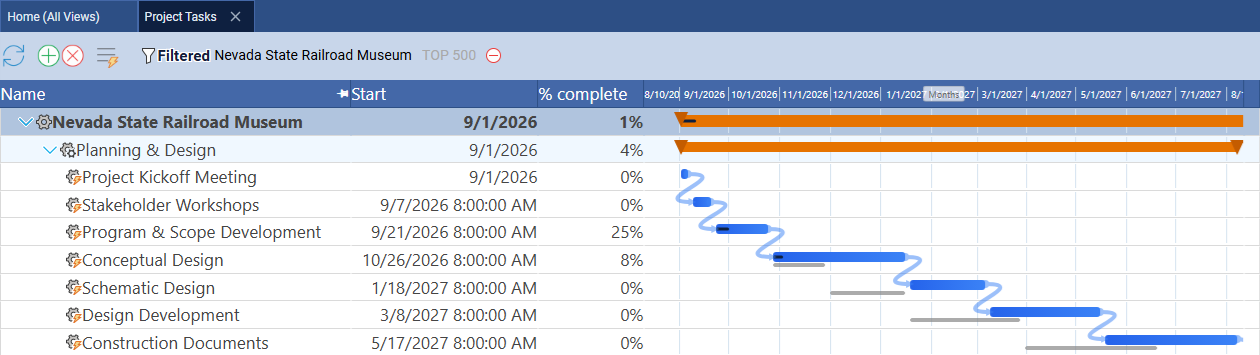
Process tip: timesheet hours are the defensible record on a subcontract. Use Home → Timesheet rather than typing percent complete by hand. On a subcontracted package billed against a schedule of values, timesheet-derived percent complete is the number Star Point can actually defend to the prime contractor's auditors — a manually typed percentage is an opinion, a logged-hours history is a record.
Berth 8: Use AI Scheduling
Right-click the project row, choose AI → Chat with AI, and click OK to let it analyze the imported schedule.
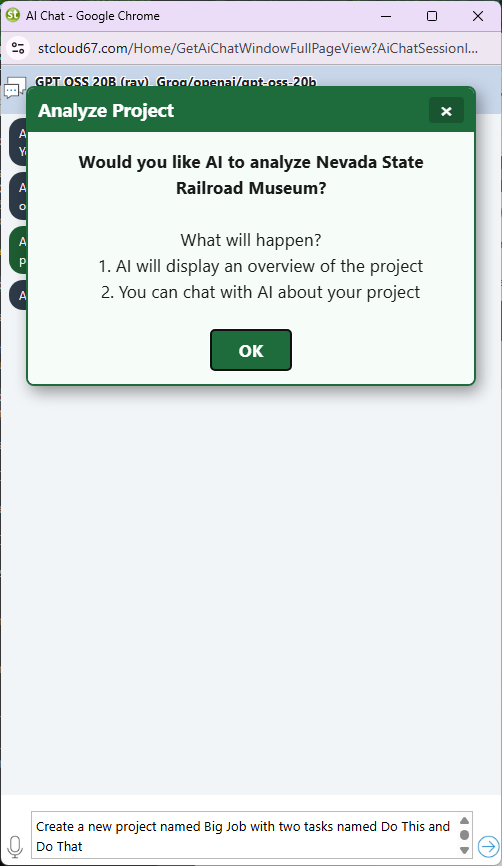
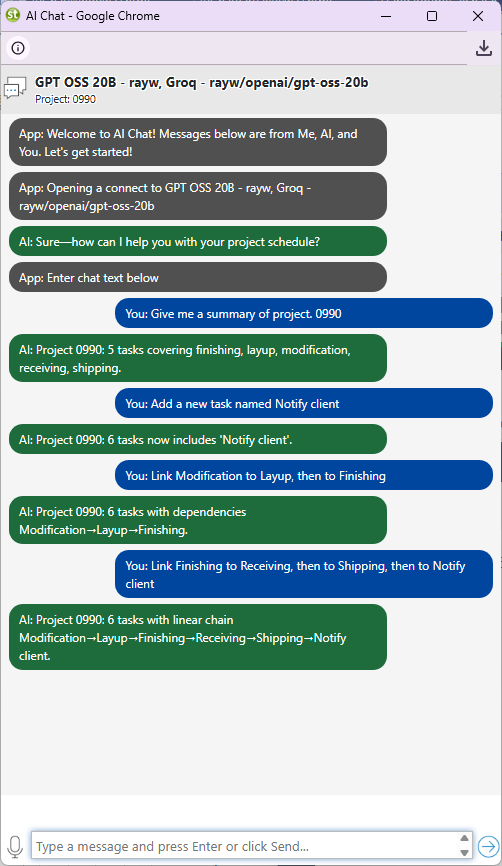
Prompt list: questions worth asking on this package.
- “If the dredging permit is delayed 60 days, which downstream berths slip, and by how much?”
- “What happens to the commissioning readiness date if the LOX tank fabrication runs 3 weeks over its 60-day estimate?”
- “Which tasks have zero float outside of the dredging window itself?”
- “Summarize schedule risk for a biweekly update to the prime contractor.”
- “If Marine Structures finishes two weeks early, can Terminal Structure's Start-to-Start lag be shortened?”
- “What is the impact of adding a second pile-driving crew during Berth 4?”
Berth 9: Track Package Costing
Star Point bills the prime EPC contractor against this package specifically, not against the wider Starbase Louisiana program, so cost tracking has to stay scoped the same way the schedule does.
Set an Hourly Rate (internal cost) and Billing Rate (what the prime is invoiced) on each resource under Home → Users, and a Quoted Cost on major tasks like tank fabrication and dredging. Add Cost, Actual Cost, and Quoted Cost columns to the task grid to see planned versus actual at a glance, and configure the 90%/100% quoted-cost alerts under notification preferences so a cost overrun on the long-lead tank fabrication line surfaces before the invoice does.
Related Topics
For a full explanation of Gantt chart task bars, link lines, and the baseline ghost bars used in Berths 5 and 7, see Gantt Charts in Project Management. For the four link relationship types used in Berth 3, see Task Link Relationships Explained. For how Maverick calculates zero-float tasks, see Critical Path Method. For the full baseline workflow, see Project Baselines: Set, Clear, and Restore. For the resource allocation bar chart referenced in Berth 4, see Resource Allocation Bar Chart. To see a schedule built from a real MS Project handoff file of your own, see the Microsoft Project integration guide. To see a comparable-scale schedule built entirely by hand instead, follow the Mars Transfer Vehicle Construction blueprint.