
Platform Features
AI Scheduling, Gantt Charts & Resource Management Features
Maverick Project Scheduler packs a complete suite of AI-powered project management tools into one cloud platform — from Gantt charts and resource tracking to custom reporting and automated scheduling.
Explore Features for Free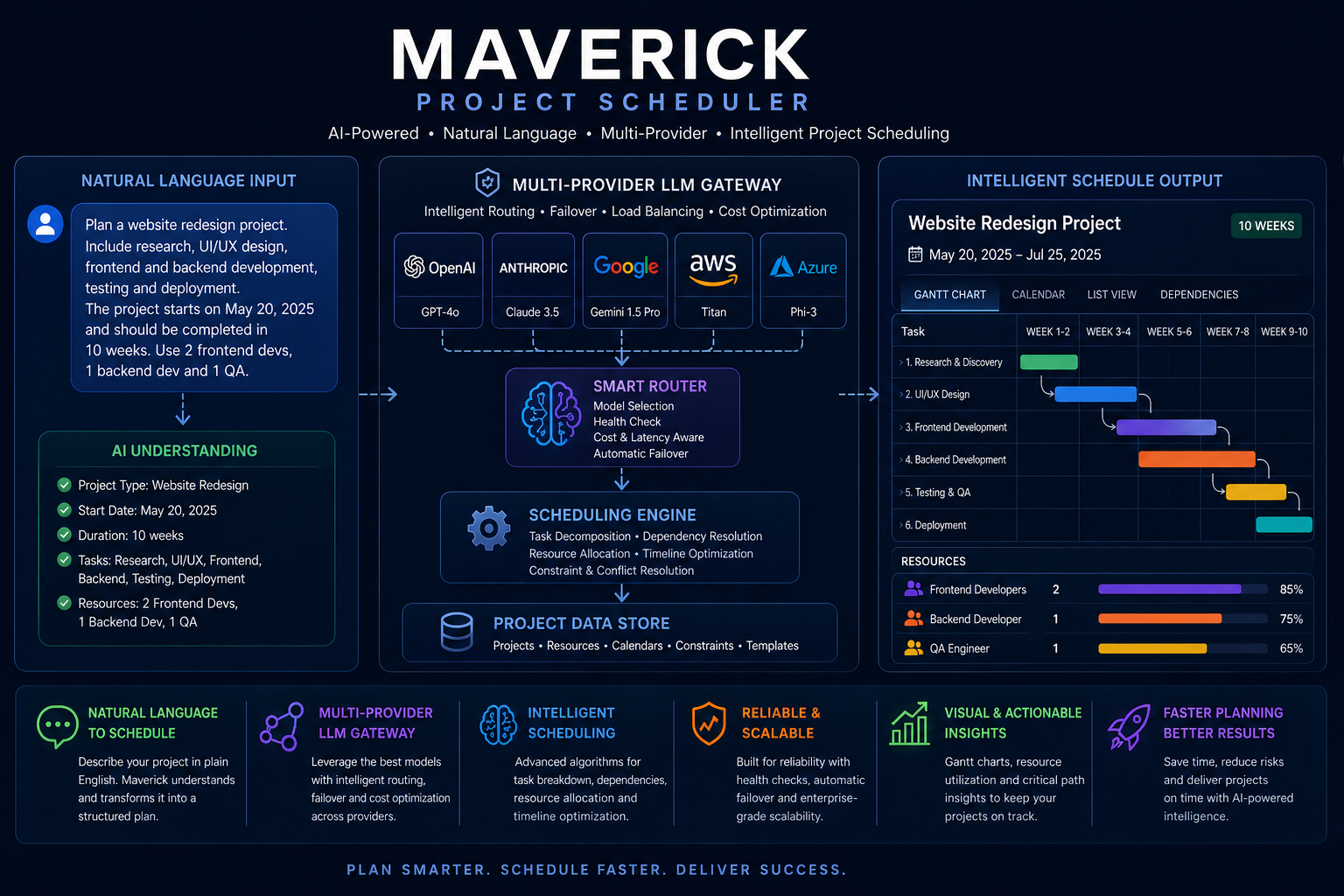
Artificial Intelligence
Describe your project in natural language and let Maverick build the schedule. AI-powered resource leveling, milestone rescheduling, and multi-provider LLM integration make scheduling faster and smarter than ever before.
- Natural language project scheduling
- AI resource leveling and task rescheduling
- Large Language Model (LLM) integration
- Multi-provider AI gateway tuned per user
Gantt Chart
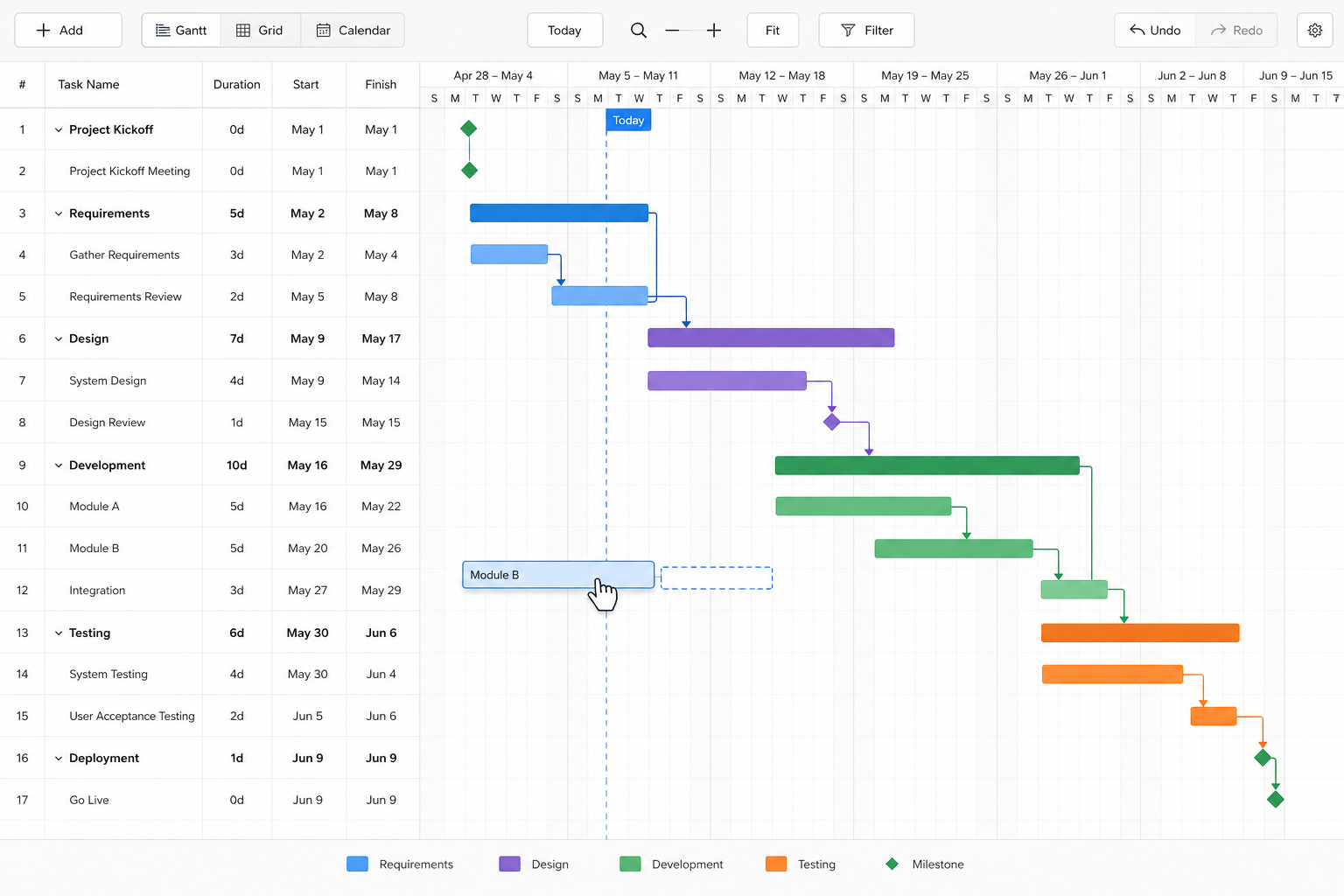
The most visual way to manage a project schedule. Drag and drop task bars, set predecessor relationships, display milestones, and monitor critical paths — all in a fully interactive browser-based Gantt chart.
- Drag-and-drop task bars
- FS, SS, SF, FF link relationships with lag days
- Summary bars, milestones, and link lines
Project Tasks Grid
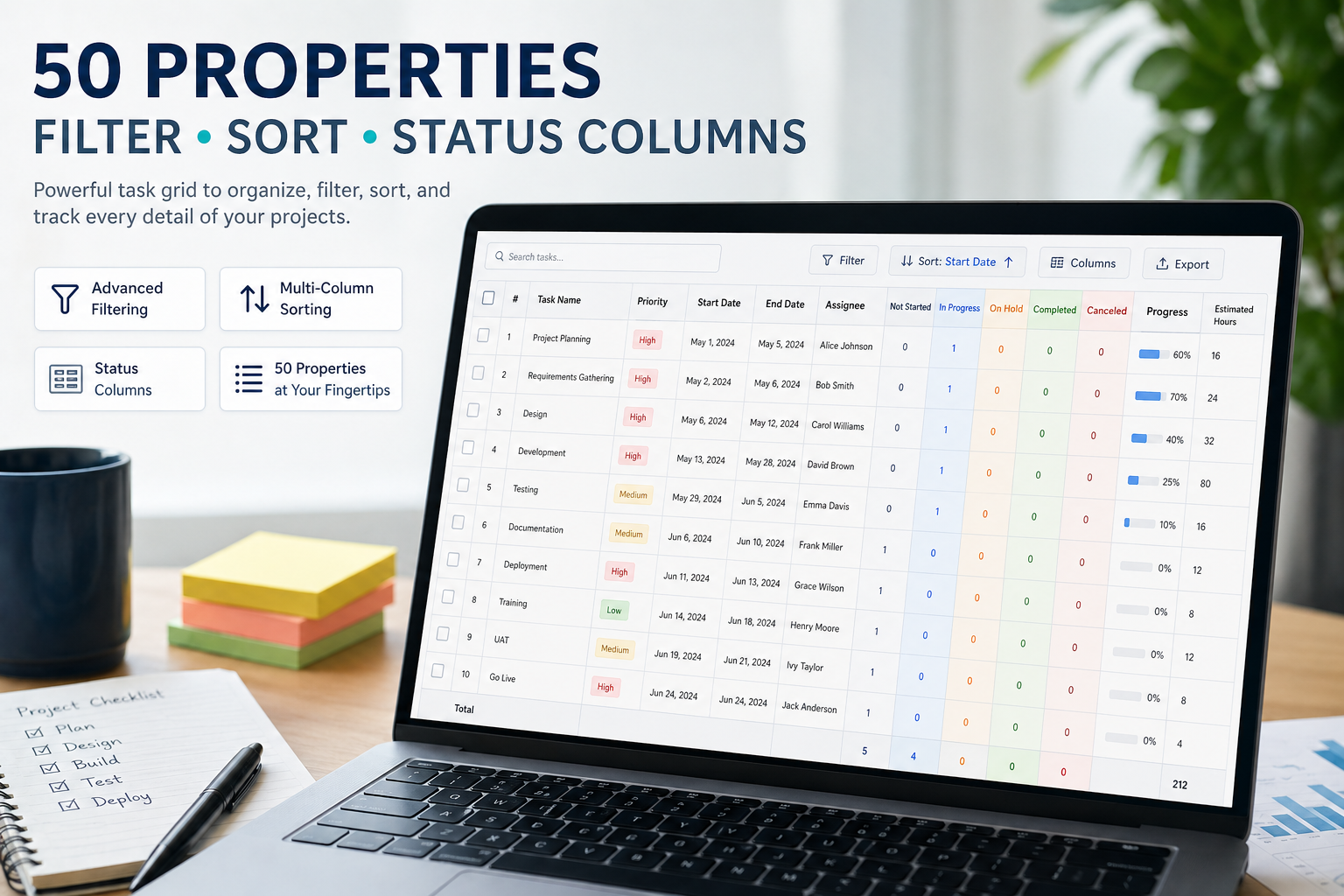
A powerful spreadsheet-style task grid with over 50 properties, project hierarchy, advanced filtering and sorting, and graphical status indicators. The command center of your project.
- 50+ task properties to display and manage
- Project hierarchy with unlimited subproject levels
- Graphical status columns and completion tracking
Resource Assignment
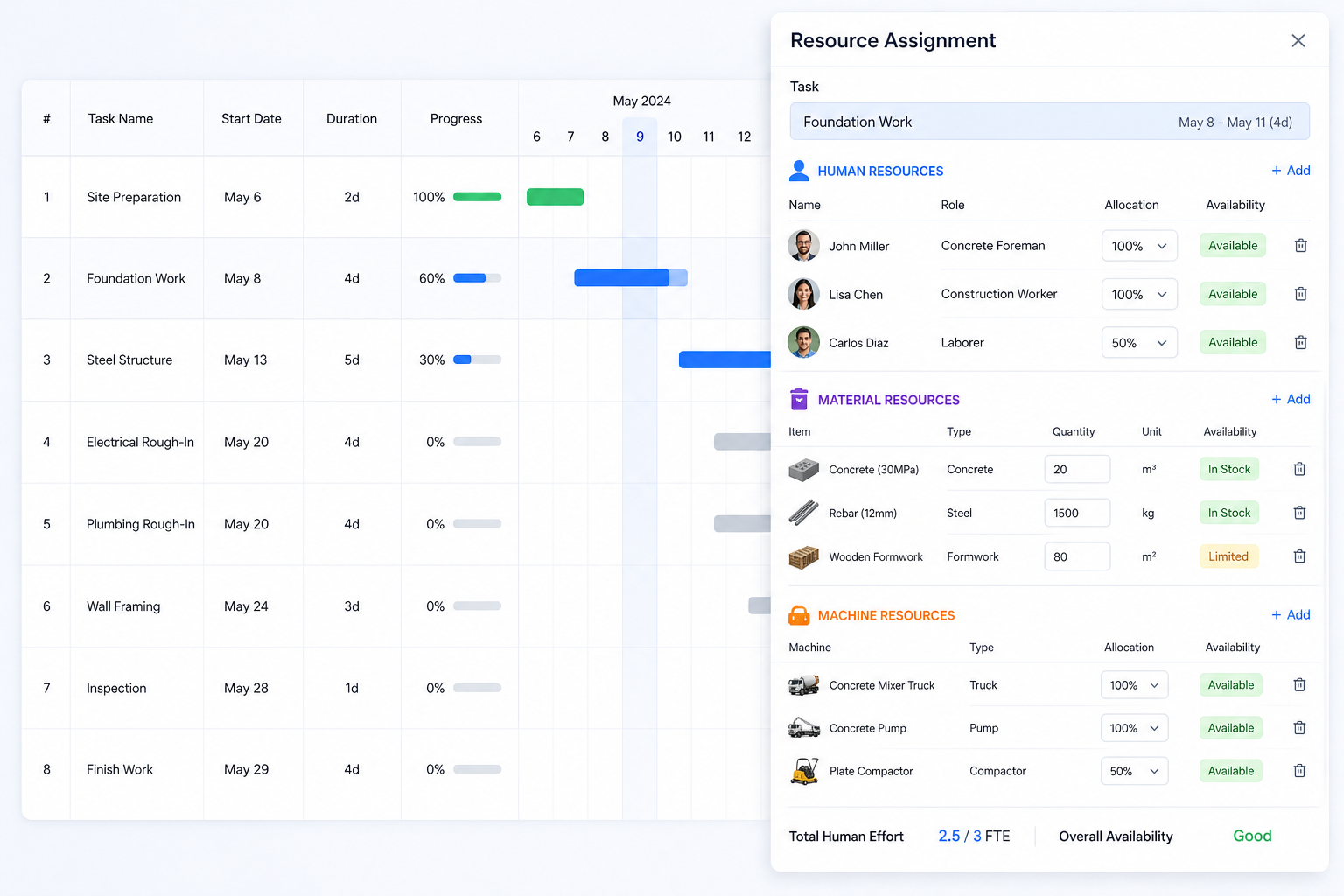
Assign human, material, and machine resource types to any task. Set utilization by percentage or hours, designate project managers, and filter by resource assignment across your entire portfolio.
- Human, material, and machine resource types
- Percentage or hourly utilization assignment
- Project manager assignment and filtering
Core Features
Everything you need to manage any project, any size, anywhere in the world.
AI Project Management
Let AI schedule your projects, flag risks, and suggest optimizations. Spend less time planning and more time delivering.
Interactive Gantt Chart
Visualize project timelines, dependencies, and milestones on an interactive Gantt chart. Drag and drop to reschedule tasks instantly.
Project Tasks Calendar
View tasks graphically by day, week, month, quarter, or year. Spot scheduling conflicts at a glance.
Projects & Portfolios
Unlimited projects, portfolios, and subprojects. Full hierarchical display with unlimited nesting levels.
Fifty Task Properties
Capture every detail with over fifty built-in task properties — dates, durations, costs, priorities, status, custom fields, and more.
Filter & Sort
Filter by project, client, resource, status, category, completion, and custom fields. Sort by 60+ properties.
Import & Export
Excel, Word, CSV, HTML, MPP, and Microsoft Project. Import or export any grid, any format, any time.
View all integrationsEmployee Rights
Granular rights to control who sees what. Assign projects and tasks to employees for controlled visibility.
Project Costing
Auto-compute salary, client cost, and estimates vs. actuals based on resource assignments and utilization rates.
Client & Category Assignment
Assign customers, clients, and user-configurable categories to any task for detailed tracking by stakeholder.
Link Relationships
FS, SS, SF, FF link types with lag days and graphical link lines. Visualize every dependency in your schedule.
Access From Anywhere
Works in any modern browser on any OS — workstations, laptops, tablets, and mobile phones worldwide.
Pro Features Now Included — Limited Time
These advanced features are now included in every subscription for a limited time. Upgrade your project management with powerful automation and customization tools.
Time Tracking Pro
Timesheet and advanced time tracking for every team member. Track hours per task, project, and resource with precision.
Resource Allocation Charts Pro
Bar and grid charts showing resource utilization by day, week, month, or year. Automatic slot leveling by skill or assignment.
Resource Availability Pro
Available hours per day, week, month, or year. Color-coded alerts instantly highlight over and under utilization.
Custom Fields Pro
Create unlimited custom task properties with input validation and business rules. Display them in columns and detail panels.
Automated Scheduled Exports Pro
Schedule automated exports daily, weekly, or monthly — with configurable columns, filtering, and sorting applied automatically.
Automated Scheduled Imports Pro
Pull projects and tasks periodically from external databases, ERPs, and MRPs — keeping all systems synchronized automatically.
Automated Scheduled Reports Pro
Build, save, and email custom reports on a schedule — no human intervention required. Always keep stakeholders informed.
Custom Reporting Pro
Unlimited grouping, sorting, filtering, scripting, variables, queries, column control, and visual styles — your reports, your way.
Project, Task, and Resource Details
Every project, task, and resource in Maverick carries dozens of built-in properties — from dates, costs, and assignments to AI settings, custom fields, and a full change history. See every property explained in detail.
See How Maverick Compares to the Competition
See how Maverick's features stack up against monday.com and other project management platforms in our side-by-side comparisons.
Integrations: Connect Maverick to Your Tools
Maverick connects to QuickBooks Online, Google Sheets, Google Drive, Zapier, Microsoft Project, AI providers, and more — keeping your project data in sync across every platform your team uses.
Learn How to Use Every Feature
Step-by-step guides and how-tos for getting the most out of Maverick Project Scheduler.
Common Questions About Maverick Features
Wondering how AI scheduling works, whether Maverick supports critical path, or how imports work? Here are quick answers.